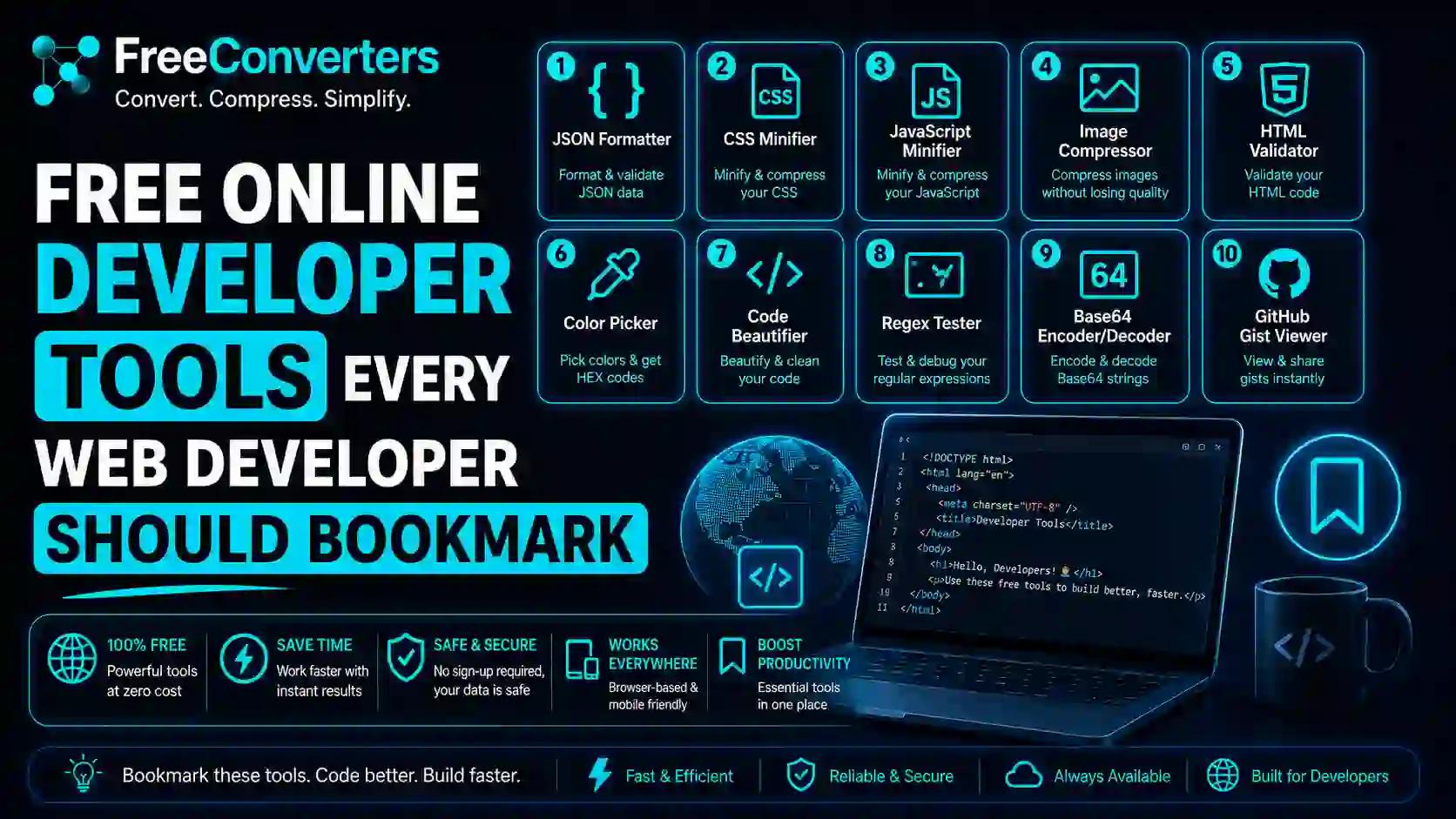
Free Online Developer Tools Every Web Developer Should Bookmark
If you've spent any time writing code, you already know the feeling: a tab graveyard of fifteen browser windows, each one open for "just a second" to check something — a JSON structure, a color code, an API response, a regex pattern that refuses to match. Web development moves fast, and no developer, no matter how senior, remembers every syntax rule or has every tool installed locally.
That's exactly why free online developer tools exist — and why smart developers bookmark them instead of memorizing them. In this guide, we're rounding up the best free tools for web developers in 2026, organized by what they actually solve, so you can stop hunting and start building.
Whether you're a frontend beginner, a backend engineer, or a full-stack freelancer juggling five client projects, this list of free developer tools to bookmark will save you hours every week.
Why Every Web Developer Needs a Toolkit of Free Tools
Before we dive into the list, let's address the obvious question: why rely on free tools instead of paid software?
The honest answer is that most everyday development tasks — formatting JSON, testing an API, compressing an image, checking color contrast — don't need a $30/month subscription. They need a fast, no-login, browser-based tool that does one job well.
Free coding tools online also tend to be:
- Faster to access — no installation, no setup, just open and use
- Cross-platform — they work the same on Windows, Mac, or Linux
- Constantly updated — most are maintained by active communities or companies
- Great for learning — beginners can experiment without financial risk
According to Stack Overflow developer surveys, a majority of professional developers use a mix of free and paid tools daily — free tools are not a "beginner only" thing. Even senior engineers at large tech companies rely on free browser-based utilities for quick checks rather than opening heavy IDEs.
Free Code Editors and Sandboxes Online
Every developer needs somewhere to write and test code quickly — without opening a full IDE.
CodePen, JSFiddle, and StackBlitz are the most popular sandbox/playground coding environments. They let you write HTML, CSS, and JavaScript live, share it instantly with a link, and see results in real time. These are perfect for:
- Testing a small UI idea before adding it to a real project
- Sharing a bug reproduction with a teammate
- Practicing while learning to code
Quick Answer: The best free online code editor for quick HTML/CSS/JS testing is CodePen, thanks to its live preview and easy sharing.
If you're working with files instead of snippets, you'll often need to convert formats before testing them in these editors. For example, if a teammate sends you a PDF of design specs, you can use a free PDF to Word converter to quickly pull out editable text instead of retyping everything.
JSON Tools Every Developer Should Bookmark
Almost every modern web app — REST APIs, GraphQL, config files — runs on JSON. That makes a reliable online JSON formatter and validator one of the most-used tools in any developer's browser tab list.
Look for tools that can:
- Format and beautify messy JSON instantly
- Validate JSON syntax and flag errors
- Convert JSON to other formats when needed
Speaking of conversions, if your project needs to move data between JSON- and XML-based systems (common in legacy enterprise APIs), a JSON-to-XML convertercan save you from writing a manual parser for a one-off task.
Quick Answer: The fastest way to validate JSON for free is to paste it into an online JSON formatter — most will highlight syntax errors instantly without needing any software installed.
Free API Testing Tools (No Sign-Up Needed)
API testing tools are non-negotiable for backend and full-stack developers. Before Postman became the industry standard, developers tested APIs manually with cURL — now there are dozens of free, browser-based alternatives.
Good free API testing tools should let you:
- Send GET, POST, PUT, and DELETE requests
- Inspect headers, response bodies, and status codes
- Save collections of requests for reuse
- Generate basic API documentation automatically
Popular options include Postman's free tier, Hoppscotch (a fully open-source alternative), and Insomnia. These cover everything from simple endpoint checks to full API documentation generator workflows for small teams.
CSS Generators and Color Tools for Frontend Developers
Frontend developers spend a surprising amount of time tweaking small visual details — border radius, gradients, shadows, and color palettes. Free CSS generator tools turn that fiddly work into a few clicks.
Bookmark-worthy categories include:
- CSS gradient and shadow generators — visually drag sliders and copy the generated code
- Free color picker tools — extract hex/RGB/HSL codes from any image or design
- CSS minifiers — compress your stylesheets for faster page loads
If you're optimizing images for a frontend project (icons, hero banners, illustrations), comparing PNG, JPG, and WebP matters for performance. You can read more in our guide on PNG vs JPG vs WebP — the best image format for web projects, and then use a free image compressorto shrink file sizes without losing visible quality.
For vector assets like logos and icons, many designers debate SVG versus PNG — our breakdown on SVG vs PNG for logos and iconsexplains which format fits which use case, and you can convert between them instantly using our SVG to PNG converteror PNG to SVG converter.
Free Tools to Test Website Speed and Performance
Website performance optimization tools are essential — a slow site loses visitors and ranks worse on Google. Some of the most trusted free options include:
- Google PageSpeed Insights — measures load speed and gives actionable fixes
- GTmetrix — combines Lighthouse data with waterfall charts
- WebPageTest — advanced testing from multiple global locations
Quick Answer: The best free tool to test website speed is Google PageSpeed Insights, because it's backed by real Google ranking data and gives prioritized fixes.
One of the simplest performance wins is reducing image weight. Heavy, uncompressed images are still one of the top causes of slow websites. Our article on how compressing images improves speed, storage, and SEO walks through exactly why this matters, and the free PDF compressor tool helps when the slow-loading culprit is a bloated PDF rather than an image.
HTML, CSS, and JavaScript Validators
Before pushing code live, validating it catches silent bugs that browsers might "fix" inconsistently across devices. Free HTML/CSS/JS validators include:
- W3C Markup Validator — checks raw HTML against official web standards
- CSS Lint / Stylelint (web versions) — catches CSS errors and bad practices
- JSHint / ESLint Playground — flags JavaScript syntax issues and style violations
These tools matter for cross-browser compatibility testing too — code that "works on my machine" often breaks elsewhere because of small validation issues these tools catch early.
Browser Developer Tools: The Built-In Toolkit You Already Have
Every modern browser — Chrome, Firefox, Edge, Safari — comes with built-in developer tools (often opened with F12). These are technically free and already installed, yet many beginners underuse them.
Browser dev tools let you:
- Inspect and edit HTML/CSS live
- Debug JavaScript with breakpoints
- Monitor network requests and API calls
- Test responsive design across screen sizes
- Audit accessibility and performance (via the Lighthouse panel)
Quick Answer: Chrome DevTools is widely considered the most powerful free browser debugging tool, thanks to its built-in Lighthouse audits, network inspector, and device emulator.
Free Accessibility Testing Tools (WCAG Checkers)
Accessibility isn't optional anymore — it's a legal requirement in many regions and a basic expectation from users. Free accessibility testing tools and WCAG checkers help confirm that your site works for everyone, including people who use screen readers.
Popular free options:
- WAVE — visual overlay showing accessibility issues directly on your page
- axe DevTools — a free browser extension that scans for WCAG violations
- Lighthouse Accessibility Audit — built into Chrome DevTools
According to the World Wide Web Consortium (W3C), following WCAG guidelines also improves usability for all users, not just those with disabilities — making accessibility testing a smart investment for everyone's user experience. You can read W3C's official accessibility guidelines at w3.org/WAI for the full standard.
Free Tools for Responsive Design Testing
With users browsing on phones, tablets, laptops, and everything in between, using responsive design testing tools is now a daily habit for frontend developers. Free tools like Responsively App, BrowserStack's free tier, and the responsive mode in browser dev tools let you instantly preview your site across dozens of screen sizes.
This matters because Google explicitly favors mobile-friendly websites in search rankings, according to Google's own Search Central documentation — making responsive testing both a UX and an SEO necessity.
Free Git and Version Control Tools
Version control isn't optional for any serious project, solo or team-based. While Git itself is free and open-source, these tools make it easier to manage:
- GitHub / GitLab / Bitbucket — free repository hosting with collaboration features
- GitKraken (free tier) — a visual Git client for those who prefer a GUI over the command line
- Sourcetree — another free, visual alternative
These tools support code review, branching, and team collaboration — core to any open-source developer tools workflow.
Free SEO and Audit Tools for Developers
Developers increasingly need basic SEO knowledge, especially freelancers and agency developers handling full project delivery. Useful free SEO audit tools for developers include:
- Google Search Console — tracks indexing, errors, and search performance
- Screaming Frog (free tier) — crawls your site for broken links and SEO issues
- Ubersuggest / free keyword tools — basic keyword research without a paid plan
If your project involves time-sensitive content or scheduling features, pairing this with a date calculatorcan help with testing and QA of date-based logic.
Free Tools for File and Format Conversions Developers Actually Use
A surprisingly common but underrated developer need is quick file conversion — especially when handling assets, documentation, or client deliverables. Bookmark these:
- Image converter — switch between formats instantly
- HEIC to JPG converter— useful when clients send iPhone screenshots
- WebP to PNG converter and WebP to JPG converter — for compatibility with older systems
- Unit converter— handy for layout math and design specs
- Currency converter — useful for e-commerce projects with multi-region pricing
You can explore our full library of free toolsto see everything available in one place, all designed to remove friction from everyday development and content tasks.
How to Choose the Right Free Developer Tool
With so many options, here's a simple framework:
- Define the task — formatting, testing, converting, or debugging?
- Check for sign-up requirements — the best free tools don't gate basic features behind forced accounts
- Confirm browser compatibility — especially important for teams using different operating systems
- Look for active maintenance — outdated tools can introduce security risks
- Bookmark, don't just save — organize tools into folders (e.g., "API," "CSS," "Testing") so you can find them fast under deadline pressure
Real-World Example: A Typical Developer Workflow Using Free Tools
Imagine you're building a small business website. In a single afternoon, you might:
- Use a free code editor sandbox to test a new navigation menu
- Validate your JSON config file before deploying
- Run a PageSpeed Insights test and discover that your hero image is too heavy
- Compress that image using a free image compressor
- Check responsive design across mobile and tablet views
- Run a quick accessibility audit with Lighthouse
- Convert the client's logo from PNG to JPG for a print mockup
That's seven free tools, zero subscriptions, and a fully optimized deliverable — which is exactly why bookmarking the right set of tools changes how efficiently you work.
Frequently Asked Questions
What are the best free online tools for web developers? The best free tools cover code editing (CodePen), API testing (Postman free tier, Hoppscotch), JSON formatting, CSS generation, performance testing (PageSpeed Insights), and accessibility auditing (WAVE, axe). Together, they cover most daily development tasks without any cost.
Are there free alternatives to paid developer tools? Yes. Tools like Hoppscotch (an alternative to paid Postman plans), GitKraken's free tier, and browser-based Lighthouse audits offer professional-grade functionality without a subscription.
What free tools can I use to test website performance? Google PageSpeed Insights, GTmetrix, and WebPageTest are the most trusted free options for measuring load speed, Core Web Vitals, and performance bottlenecks.
How can I validate my HTML and CSS for free? Use the W3C Markup Validator for HTML and free linting tools, such as Stylelint's online playground for CSS. Both flag errors instantly without needing any installation.
Do professional developers actually use free tools? Yes — extensively. Most professional developers mix free and paid tools daily, often relying on free browser-based utilities for quick checks even when working on enterprise-level projects.
What free tools help test responsive web design? Browser developer tools (built into Chrome, Firefox, and Edge) include a responsive design mode that simulates multiple screen sizes for free, alongside dedicated tools like Responsively App.
Conclusion: Build Your Bookmark Folder Today
The right free online developer tools won't just save you time — they'll make your work more accurate, your sites faster, and your debugging far less painful. From JSON formatters to CSS generators, API testers to accessibility checkers, the tools above cover nearly everything a modern web developer touches in a typical week.
Start small: pick five tools from this list that match your current projects, bookmark them today, and build the habit of reaching for the right free tool instead of guessing or rewriting from scratch.
If you regularly work with files, images, or documents alongside your code, explore our complete collection of free tools — and feel free to get in touch if there's a tool you wish existed but can't find yet.