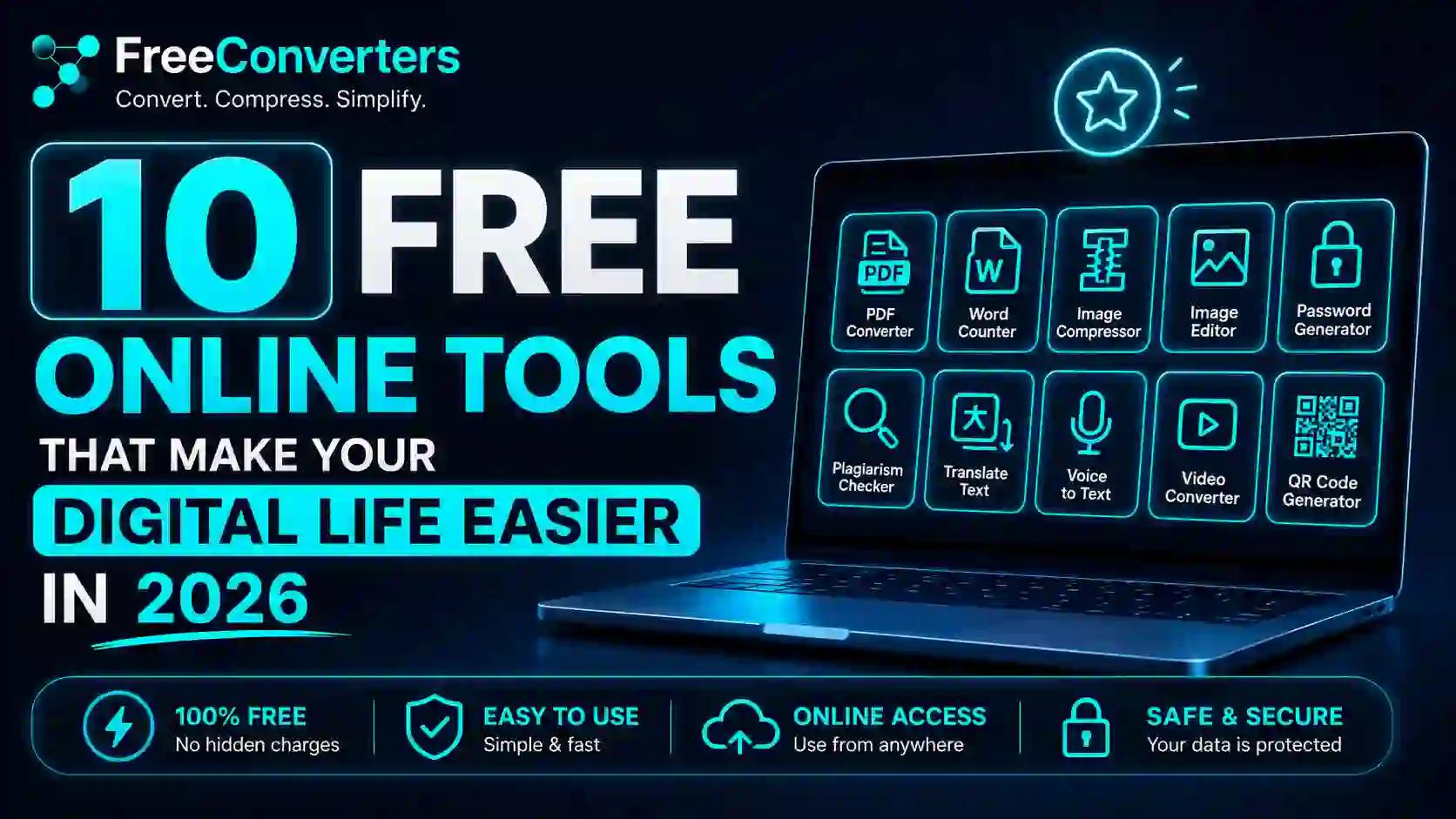
10 Free Online Tools That Make Your Digital Life Easier in 2026
If you are still paying for software to convert a PDF, compress an image, or convert a currency — stop. In 2026, some of the best digital tools on the internet are completely free, work instantly in your browser, and require zero sign-up. The only problem is that most people have never heard of half of them.
This article gives you a curated list of 10 free online tools that will genuinely save you time, money, and frustration every single day. Whether you are a student in Karachi, a freelancer in Lahore, a small business owner in London, or a remote worker in New York — these tools work for everyone, everywhere, right now.
Why Free Online Tools Are Better Than Ever in 2026
A few years ago, "free tools" usually meant limited, buggy software with aggressive upsells after the first use. That has changed dramatically.
Today, free online productivity tools are faster, cleaner, and more capable than ever. Browser performance has improved, file processing happens in seconds, and many platforms have built sustainable businesses through premium tiers — meaning their free versions are genuinely excellent and not just bait.
The result? You no longer need to pay for Photoshop to compress an image, Adobe Acrobat to convert a PDF, or an expensive currency app to check real-time exchange rates. Free web tools now do all of this and more, without downloading anything or handing over your email address.
Here are the 10 best free online tools that will make your digital life significantly easier this year.
1. PDF to Word Converter — Edit Any PDF in Seconds
One of the most universally needed tools in any professional's life is a reliable PDF to Word converter. You receive a contract, a form, or a report as a PDF — and you need to edit it. Without the right tool, this is a frustrating dead end.
The free PDF to Word Converter at Free Convertors solves this instantly. Upload your PDF, convert it to a fully editable Word document in seconds, and download it — no account needed, no watermarks, no fees.
This tool is genuinely indispensable for:
- Freelancers editing client contracts
- Students copying content from academic PDFs
- Professionals updating proposal documents
- Anyone who has ever stared at a locked PDF in frustration
Pair it with the Word to PDF Converter when you need to go in the other direction — converting your edited Word file back into a clean, shareable PDF.
2. PDF Compressor — Shrink Large Files Without Losing Quality
Ever tried to email a PDF only to get a "file too large" error? Or upload a document to a government portal with a strict size limit? It happens constantly, and most people have no idea there is a free fix.
The free PDF Compressor at Free Convertors reduces the size of any PDF file dramatically — often by 60% to 80% — while preserving the visual quality of the document. No software to install. No account to create. Just upload, compress, and download.
This tool is used daily by:
- HR professionals sending bulk documents
- Lawyers filing court submissions with size limits
- Students submitting assignments through college portals
- Small business owners attaching proposals to emails
For anyone working with PDFs regularly — which is almost everyone with a professional life — this is one of those free digital tools that saves hours of frustration every month.
3. Image Compressor — Make Images Web-Ready Instantly
Slow websites lose visitors. Large image files are one of the top reasons websites load slowly. If you run a blog, an e-commerce store, or any website at all, compressing your images before uploading them is not optional — it is essential for SEO and user experience.
The free Image Compressor at Free Convertors reduces image file sizes significantly without any noticeable loss in visual quality. It supports all major formats and processes files directly in your browser — your images never need to leave your device to be compressed.
This tool is a must-have for:
- Bloggers and content creators optimizing media for WordPress
- E-commerce sellers uploading product photos on Shopify or Daraz
- Web developers speeding up page load times
- Social media managers preparing posts for Instagram and Facebook
According to Google's own Core Web Vitals guidelines, image optimization is one of the highest-impact improvements you can make to a website's performance. This free tool makes it effortless.
4. Currency Converter — Real-Time Exchange Rates for Any Currency
Whether you are a freelancer invoicing international clients, a traveler planning a trip, an importer checking landed costs, or an overseas Pakistani sending money home — you need accurate, real-time currency conversion.
The free Currency Converter at Free Convertors gives you instant exchange rates for hundreds of currency pairs, updated in real time. It is clean, fast, and works perfectly on mobile.
No app to download. No account to log in to. No hidden subscription to unlock the "real" rates. Just type in your amount, select your currencies, and get the answer.
This is particularly useful for:
- Freelancers converting USD, GBP, or EUR earnings to PKR
- Businesses doing cross-border transactions
- Students paying international university fees
- Shoppers buying from international e-commerce sites
5. PDF to JPG Converter — Turn Document Pages Into Shareable Images
There are moments when you need to share specific pages of a PDF as images — for a WhatsApp message, a social media post, a presentation slide, or a quick visual reference. Converting PDF pages to JPG manually is a nightmare without the right tool.
The free PDF to JPG Converter at Free Convertors handles this in a matter of seconds. Upload your PDF, select the pages you want, and download high-quality JPG images instantly.
Real-world uses include:
- Sharing specific invoice pages as images via WhatsApp or email
- Extracting charts and graphs from reports for presentations
- Converting ID document scans to image format for uploads
- Creating visual previews of PDF portfolios for social media
And if you ever need the reverse — combining images into a single PDF document — the free JPG to PDF Converter does exactly that with the same simplicity.
6. Unit Converter — Every Measurement You Will Ever Need
How many kilometers in a mile? How many liters in a gallon? What is 37 degrees Celsius in Fahrenheit? What is 5 feet 11 inches in centimeters?
These conversions come up constantly in everyday life — cooking, travel, fitness, construction, scientific work, and academic study. Pulling out a search engine every time is slow and inconsistent.
The free Unit Converter at Free Convertors handles all of these in one clean interface — length, weight, volume, temperature, speed, area, energy, and more. It is the kind of tool that lives as a browser bookmark once you find it, because you use it almost every day without realizing how much.
This is an especially practical free digital tool for:
- Students working on science and maths problems
- Professionals in engineering, construction, and healthcare
- Cooks following international recipes with different measurement systems
- Travelers navigating between metric and imperial countries
7. Image Converter — Convert Between Any Image Format Instantly
HEIC files from iPhones. WebP files from websites. SVG files from design software. PNG files for transparent backgrounds. JPG files for email. Every device and platform seems to use a different image format — and compatibility issues are a daily headache.
The free Image Converter at Free Convertors converts between all major image formats in seconds. You can also use the dedicated format-specific converters for even faster results:
- PNG to JPG Converter— for universal image compatibility
- JPG to PNG Converter — for transparent background support
- HEIC to JPG Converter— essential for iPhone users sharing photos on non-Apple devices
- WebP to JPG Converter — for converting website images to standard formats
- WebP to PNG Converter — for design and editing compatibility
- SVG to PNG Converter— for turning vector graphics into standard images
- PNG to SVG Converter— for converting images into scalable vector format
No matter which format you are dealing with, the answer is a few clicks away — completely free.
8. Date Calculator — Calculate Exact Days, Weeks, and Months Between Dates
How many days until your visa expires? How many weeks until a project deadline? How many months since your business was registered? What date is exactly 90 days from today?
These calculations sound simple, but manually counting calendar days is surprisingly error-prone. Miss a leap year, miscalculate a month boundary, or forget a timezone — and your entire timeline is wrong.
The free Date Calculator at Free Convertors handles all of this instantly and accurately. Enter two dates and get the exact number of days, weeks, months, or years between them. Or add a specific number of days to a date to find a future deadline.
This tool is genuinely useful for:
- Professionals tracking contract durations and notice periods
- Lawyers calculating statutory deadlines and limitation periods
- Freelancers managing project milestones
- Travelers planning visa validity windows
- Students counting days until exams or application deadlines
- HR teams calculating probationary periods and annual leave entitlements
It is one of those tools that seems trivial until you use it once — and then you wonder how you managed without it.
9. JSON to XML Converter — A Developer's Daily Companion
If you work in software development, data engineering, API integration, or technical SEO, you deal with data format conversions constantly. JSON and XML are two of the most common data formats in web development, and converting between them manually is time-consuming and error-prone.
The free JSON to XML Converter at Free Convertors handles this conversion cleanly and instantly — paste your JSON data, click convert, and get perfectly structured XML output ready to use.
This tool is especially valuable for:
- Web developers integrating APIs that use different data formats
- Backend engineers processing data feeds from third-party services
- Technical SEO professionals working with structured data
- Data analysts converting datasets between formats for different tools
- Students learning about data structures and API communication
It is a simple tool that solves a genuinely technical problem — and saves developers significant time every week.
10. YouTube Thumbnail Downloader — Save Any Thumbnail in Full Quality
This one is a favourite among content creators, marketers, researchers, and curious minds alike. YouTube thumbnails are some of the most studied visual content on the internet — they are designed to grab attention and drive clicks. Being able to download them for reference, inspiration, or analysis is more useful than most people realize.
The free YouTube Thumbnail Downloader at Free Convertors lets you paste any YouTube video URL and instantly download the thumbnail in full resolution — no account, no software, no cost.
Content creators use it to study high-performing thumbnails in their niche. Marketers use it for competitive analysis. Researchers use it to archive video content metadata. Educators use it to create reference materials from YouTube content.
It is a small tool that solves a surprisingly common need — and it is completely free.
Quick Reference: All 10 Free Tools at a Glance
Tool | Best For | Link
PDF to Word Converter | Editing locked PDF documents | freeconvertors.com
PDF Compressor | Reducing PDF file size for email and uploads | freeconvertors.com
Image Compressor | Speeding up websites and reducing image file size | freeconvertors.com
Currency Converter | Real-time exchange rates for any currency pair | freeconvertors.com
PDF to JPG Converter | Turning PDF pages into shareable images | freeconvertors.com
Unit Converter | Converting measurements across all categories | freeconvertors.com
Image Converter | Converting between PNG, JPG, HEIC, WebP, SVG | freeconvertors.com
Date Calculator | Calculating days between dates and future deadlines | freeconvertors.com
JSON to XML Converter | Developer data format conversion | freeconvertors.com
YouTube Thumbnail Downloader | Downloading YouTube thumbnails in full quality | freeconvertors.com
All tools are available at Free Convertors— no sign-up required, no subscription, no hidden fees.
What Makes These Tools Different From Others?
There are thousands of free online tools on the internet. Most of them are surrounded by aggressive pop-up ads, require you to create an account before revealing the output, impose strict daily usage limits, or simply do not work reliably.
The tools at Free Convertors are built differently. Here is what sets them apart:
No account required. Every single tool works immediately. There is no sign-up wall hiding the functionality.
No watermarks. Your converted files are clean and professional — no branding stamped over your documents or images.
Browser-based processing. Many tools process files directly in your browser, meaning your sensitive documents never need to be uploaded to a server.
Mobile-friendly. Every tool works just as well on a smartphone as on a desktop — important for the majority of users in Pakistan and South Asia who primarily use mobile devices.
Genuinely free. No trial period. No "premium" tier required to unlock basic features. The free tools are fully functional.
Free Tools for Specific User Types
For Students
The unit converter, date calculator, PDF compressor, and PDF to Word converter are daily essentials. Converting lecture slides, compressing assignment submissions, calculating submission deadlines — these tools handle all of it.
For Freelancers and Remote Workers
The currency converter, PDF to Word converter, image compressor, and Word to PDF converter directly support professional work. Convert client invoices, compress portfolio images, check international payment amounts, and deliver professional PDF documents — all free.
For Small Business Owners
Image compression for your product listings, PDF conversion for your contracts and proposals, currency conversion for your supplier payments, and date calculation for your project timelines — every one of these tools saves real money that would otherwise go to paid software subscriptions.
For Developers and Technical Professionals
The JSON to XML converter, image format converters, and PDF tools are practical daily utilities. Add the time converter for scheduling across time zones — available at the Time Converter— and you have a complete free toolkit for technical work.
For Content Creators and Marketers
The YouTube thumbnail downloader, image converter, image compressor, and SVG to PNG converter are directly relevant to content creation workflows. Compress images for faster blog posts, download competitor thumbnails for research, and convert design files for different platforms — entirely free.
Frequently Asked Questions
What are the best free online tools in 2026? The best free online tools in 2026 include PDF converters, image compressors, currency converters, unit converters, date calculators, and file format converters. All of these are available completely free at Free Convertors, with no sign-up or subscription required.
Are free online tools safe to use? Reputable free online tools are safe to use, especially those that process files directly in your browser without uploading them to external servers. Always use tools from trusted platforms with clear privacy policies. Free Convertors processes files locally where possible and does not store your uploaded documents.
Do these free online tools work without creating an account? Yes. Every tool at Free Convertors works immediately without any account creation. You can convert, compress, and download files in seconds without giving your email address or any personal information.
Can free tools really replace paid software like Adobe Acrobat? For most everyday tasks — converting PDFs, compressing files, converting image formats — free online tools in 2026 are absolutely capable of replacing paid desktop software. For highly specialized professional workflows, paid tools may still offer advantages, but the vast majority of users will find free tools more than sufficient.
Which free tools are best for students? For students, the most useful free tools are the PDF to Word converter, PDF compressor, unit converter, date calculator, and image converter. These cover the most common digital tasks in academic life — editing documents, submitting compressed files, calculating deadlines, and converting measurement units for science subjects.
What free tools are best for freelancers working online in 2026? Freelancers benefit most from the currency converter (for international client payments), PDF to Word and Word to PDF converters (for contracts and proposals), image compressor (for portfolio websites), and the date calculator (for project deadline management). All are available free at Free Convertors.
Conclusion — Your Digital Life Just Got Simpler and Cheaper
You do not need to pay for software to handle the most common digital tasks in your life. In 2026, free online tools have reached a level of quality and reliability that makes expensive subscriptions genuinely unnecessary for most everyday needs.
Whether you are converting a PDF, compressing an image, calculating a currency exchange rate, converting measurement units, or downloading a YouTube thumbnail — the tools exist, they work perfectly, and they cost absolutely nothing.
The only question is whether you know where to find them.
👉 Explore the full library of free tools at Free Convertors and bookmark it today — your future self will thank you every time you need to convert, compress, or calculate something online.
External authority reference: For guidance on why image compression and file optimization matter for web performance, refer to Google's Core Web Vitals documentation — the official Google resource on page experience and performance metrics that directly affect your search rankings.