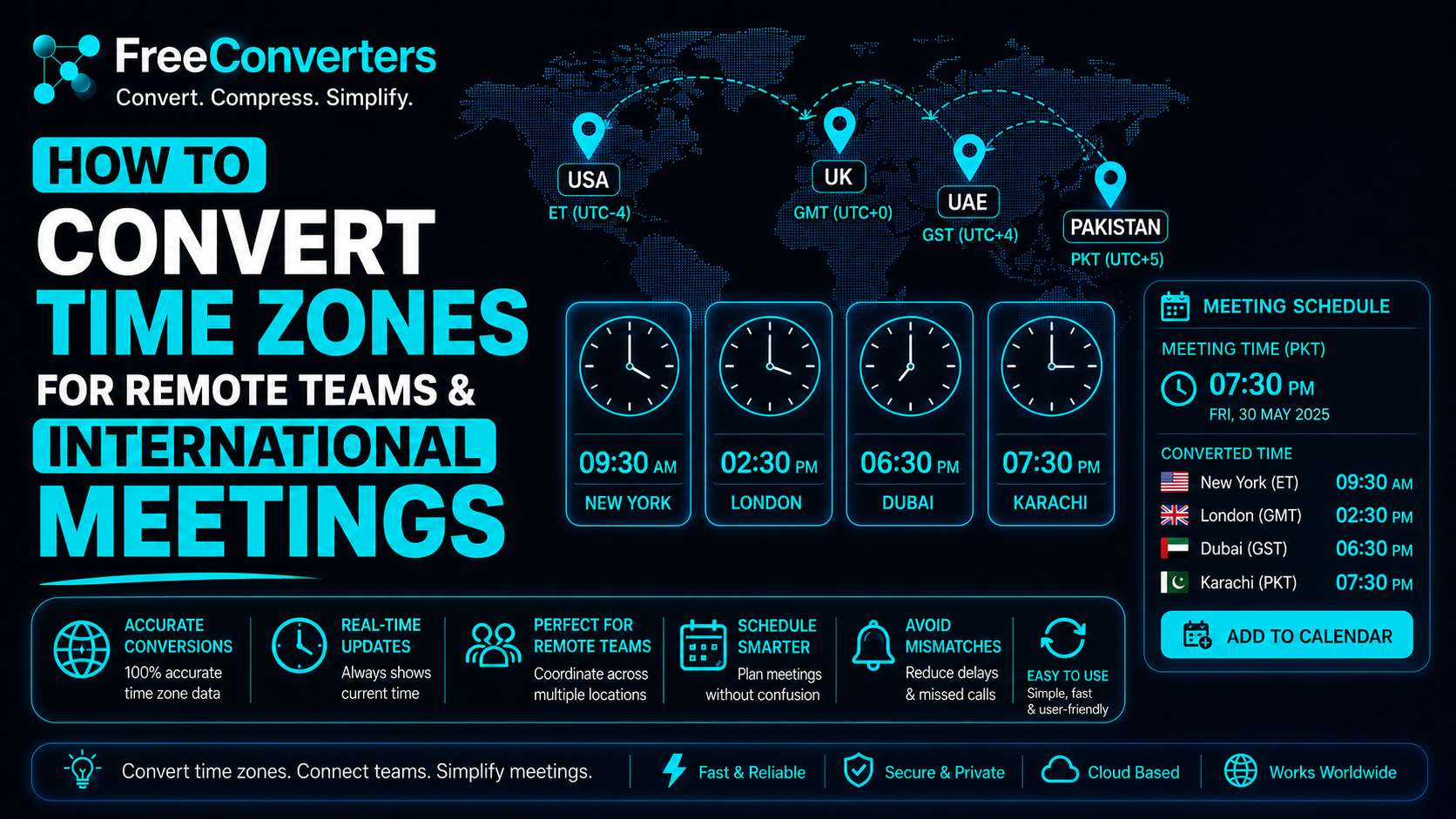
How to Convert Time Zones for Remote Teams and International Meetings
If you have ever sent a meeting invite and watched half your team show up an hour late — or worse, a day early — you already know how brutal time zone confusion can be. In 2026, with remote teams spread across Karachi, London, Dubai, New York, and Toronto, getting time zone conversions right is not optional. It is a professional survival skill.
This guide breaks down exactly how to convert time zones for remote teams and international meetings — step by step, with real examples, practical tools, and zero fluff. Whether you are a freelancer in Islamabad working with a US client, a project manager coordinating a distributed team across three continents, or an HR professional scheduling virtual interviews across time zones, this article is written for you.
What Does It Mean to Convert Time Zones?
Converting time zones means taking a specific time in one location and calculating what that same moment looks like in another location, based on each location's UTC offset.
UTC stands for Coordinated Universal Time. It is the global baseline — the international standard from which every time zone on earth is measured. When you convert time zones, you are essentially doing one simple thing: adding or subtracting the time zone offset between two locations.
For example, Pakistan Standard Time (PKT) is UTC+5. US Eastern Standard Time (EST) is UTC-5. The difference is 10 hours. So if it is 8:00 PM in Islamabad, it is 10:00 AM in New York — during US winter. During US Daylight Saving Time (EDT, UTC-4), Pakistan is only 9 hours ahead, making it 11:00 AM in New York.
That one-hour shift caused by Daylight Saving Time is the source of more missed meetings than almost anything else in international remote work.
Why Time Zone Conversion Matters for Remote Teams
Remote work has exploded in the last five years. According to a 2025 report by Gallup, over 35% of full-time employees globally now work in fully distributed or hybrid arrangements. For teams in South Asia, the Middle East, Europe, and North America, this means navigating time zone differences every single workday.
The stakes are high. A miscalculated meeting time does not just waste an hour — it damages client trust, delays projects, and signals unprofessionalism. On the flip side, teams that master time zone conversion build a reputation for reliability, responsiveness, and seamless global collaboration.
Here is why it matters practically:
- Freelancers in Pakistan working with US clients need to know exactly when 9:00 AM EST hits in PKT (6:00 PM or 7:00 PM, depending on the time of year).
- HR professionals scheduling virtual interviews between Dubai and London need to account for the time zone difference between GMT and BST.
- Project managers running standups for teams in Chicago, Berlin, and Singapore need to find the one hour that works for everyone without burning out any single team.
Getting this wrong consistently is the fastest way to lose international clients. Getting it right every time is a genuine competitive advantage.
Understanding UTC Offsets — The Foundation of Every Time Zone Conversion
Before you can convert time zones accurately, you need to understand UTC offsets. Here is a quick reference for the most common time zones relevant to Pakistan-based professionals and global remote teams:
Time Zone | Abbreviation | UTC Offset | DST Observed?
Pakistan Standard Time | PKT | UTC+5 | No
Gulf Standard Time (UAE) | GST | UTC+4 | No
Greenwich Mean Time (UK Winter) | GMT | UTC+0 | No
British Summer Time (UK Summer) | BST | UTC+1 | Yes
Eastern Standard Time (USA) | EST | UTC-5 | Yes
Eastern Daylight Time (USA) | EDT | UTC-4 | Yes (summer)
Central Standard Time (USA) | CST | UTC-6 | Yes
Pacific Standard Time (USA) | PST | UTC-8 | Yes
India Standard Time | IST | UTC+5:30 | No
Central European Time | CET | UTC+1 | Yes
Australian Eastern Standard Time | AEST | UTC+10 | Yes
Key fact to remember: Pakistan does not observe Daylight Saving Time. This means PKT stays at UTC+5 year-round, making it a reliable, fixed anchor point for international time calculations.
How to Convert Time Zones — Step by Step
Here is the exact process to manually convert any time zone without a tool:
Step 1: Find the UTC offset of the origin location. Example: Karachi, Pakistan = UTC+5
Step 2: Find the UTC offset of the destination location. Example: New York, USA in summer = UTC-4 (EDT)
Step 3: Calculate the difference. UTC+5 minus UTC-4 = 9 hours. Pakistan is 9 hours ahead of New York during US summer.
Step 4: Add or subtract. If it is 6:00 PM in Karachi, subtract 9 hours = 9:00 AM in New York.
Step 5: Account for Daylight Saving Time. Check whether either location is currently observing DST. The US switches to EDT from the second Sunday of March to the first Sunday of November. The UK switches to BST from the last Sunday of March to the last Sunday of October. If DST is active, the offset changes by one hour.
This manual method works, but for daily use with multiple cities and DST changes, a dedicated time zone converter is far faster and less error-prone. The Free Convertors Time Converter handles all of this automatically — including DST adjustments — in real time, for free.
Common Time Zone Conversions for Remote Teams
Here are the most frequently needed conversions for Pakistan-based professionals working internationally:
PKT to EST (New York, Washington DC, Toronto):
- Subtract 10 hours in the US winter (EST)
- Subtract 9 hours in the US summer (EDT)
PKT to CST (Chicago, Houston, Dallas):
- Subtract 11 hours in the US winter
- Subtract 10 hours in the US summer
PKT to PST (Los Angeles, San Francisco, Seattle):
- Subtract 13 hours in the US winter
- Subtract 12 hours from the US summer
PKT to GMT (London in winter):
- Subtract 5 hours
PKT to BST (London in summer):
- Subtract 4 hours
PKT to GST (Dubai, Abu Dhabi):
- Subtract 1 hour — always, with no seasonal variation
PKT to IST (India):
- Subtract 30 minutes — Pakistan is 30 minutes ahead of India
PKT to CET (Berlin, Amsterdam, Paris in winter):
- Subtract 4 hours
PKT to UTC:
- Subtract 5 hours exactly
For the reverse — converting international time into PKT — simply reverse the operation. To convert EST to PKT, add 10 hours in winter and 9 hours in summer.
Quick Reference: What Time Is It in Key Cities When It Is Noon in Islamabad?
City | Local Time (when Islamabad = 12:00 noon PKT)
Dubai (UAE) | 11:00 AM (GST)
London — Winter | 7:00 AM (GMT)
London — Summer | 8:00 AM (BST)
New York — Winter | 2:00 AM (EST)
New York — Summer | 3:00 AM (EDT)
Chicago — Summer | 2:00 AM (CDT)
Los Angeles — Winter | 11:00 PM (previous day, PST)
Los Angeles — Summer | 12:00 Midnight (PDT)
Toronto — Summer | 3:00 AM (EDT)
Berlin — Winter | 8:00 AM (CET)
Sydney — Winter | 10:00 PM (AEST)
The Biggest Time Zone Mistakes Remote Teams Make
Most scheduling disasters in remote work come from the same handful of recurring errors. Here is what to watch out for — and how to avoid each one.
Mistake 1: Forgetting Daylight Saving Time switches. This is the number one cause of missed international meetings. The US, UK, and most of Europe observe DST, but Pakistan, UAE, India, and many other countries do not. When the US or UK switches clocks, your time difference changes by an hour — and if you did not update your calendar, your next recurring meeting is now one hour off.
Solution: Never rely on a manually set clock. Always use a world clock tool or time zone converter that automatically applies DST rules.
Mistake 2: Assuming all US cities are in the same time zone. The United States has six time zones. New York and Chicago are in different time zones. Chicago and Los Angeles are in different time zones. Telling a client "I am available at 9 AM your time" without specifying which US city is a classic mistake.
Solution: Always specify the city name and the time zone abbreviation together — for example, "9:00 AM EDT (New York)" or "9:00 AM CDT (Chicago)."
Mistake 3: Mixing up GMT and UTC. GMT (Greenwich Mean Time) and UTC (Coordinated Universal Time) are effectively the same offset, but they are not technically identical. UTC is the modern scientific standard, while GMT is a legacy time zone still used in the UK during winter. In practice, the difference is negligible — but knowing which one your team uses avoids confusion.
Mistake 4: Not accounting for the international date line. When it is midnight in Pakistan on a Wednesday, Los Angeles is still Tuesday afternoon. This means the date changes between cities, not just the hour. Many freelancers lose track of this and submit deliverables a full day late from the client's perspective.
Solution: When scheduling across a 12+ hour gap, always specify the date and day of the week alongside the time — not just the hour.
Mistake 5: Relying on memory for conversions. Time zone math looks simple, but it is easy to get wrong in practice, especially when you are juggling multiple clients in different locations. A manual error costs you credibility.
Solution: Bookmark a reliable time zone converter and use it every single time. The free tools at take less than ten seconds to use and eliminate the chance of human error entirely.
Best Tools to Convert Time Zones for Remote Teams in 2026
You do not need expensive software to manage time zones across a distributed team. Here are the best free tools and approaches available right now:
1. Free Converters Time Converter: The most straightforward option for individuals and small teams. Visit and convert any time zone pair instantly. No signup, no download, no subscription. Works perfectly for PKT to EST, GMT to GST, UTC to BST, and hundreds of other combinations. It handles DST automatically, so you always get the correct result regardless of the time of year.
2. World Clock / Multiple Time Zone Display Set up a world clock that shows your own city plus two or three client cities simultaneously. This eliminates the need to convert every time — you can see at a glance what time it is for everyone on your team right now. Free Convertors provides this directly through its time tools.
3. Google Calendar Google Calendar is one of the most powerful free tools for remote teams. It automatically detects each meeting participant's time zone and displays meeting times in their local time zone. When you create an event, you can set a specific time zone for the meeting, and Google Calendar converts it for every invitee. This is particularly useful for recurring meetings where DST transitions need to be handled automatically. Google's support documentation at support.google.com explains how to enable secondary time zones in Calendar settings.
4. Free Convertors Date Calculator. For calculating business days, project deadlines, and delivery timelines across international borders, the date calculator is extremely useful. It helps you determine how many working days there are between two dates, which is essential for international project management.
5. Free Convertors Unit Converter When working across countries, you often need to convert more than just time units, currencies, file sizes, and other measurements come into play. The unit converter and the currency converter round out your toolkit for complete international workflow management.
While enterprise tools like Slack, Microsoft Teams, Notion, and Asana all offer time zone features, most freelancers and small remote teams do not need to pay for complex scheduling software. Free tools, used consistently, solve the problem just as effectively.
How to Find the Best Overlap Hours for Your Remote Team
Finding a meeting time that works across multiple time zones requires identifying the overlap window — the hours when everyone's working day (or at least a reasonable portion of it) coincides.
Here is how to find it systematically:
Step 1: List every team member's location and their standard working hours in local time (typically 9:00 AM to 6:00 PM).
Step 2: Convert each person's working hours to UTC to create a common reference point.
Step 3: Find the UTC hours that fall within everyone's working window simultaneously.
Step 4: Convert the overlap back to each person's local time to confirm.
Real-world example: Team members in Islamabad (PKT, UTC+5), London (BST, UTC+1 in summer), and New York (EDT, UTC-4 in summer).
- Islamabad working hours: 9:00 AM to 6:00 PM PKT = UTC 04:00 to UTC 13:00
- London working hours: 9:00 AM to 6:00 PM BST = UTC 08:00 to UTC 17:00
- New York working hours: 9:00 AM to 6:00 PM EDT = UTC 13:00 to UTC 22:00
Overlap: UTC 13:00 — which is 6:00 PM in Islamabad, 2:00 PM in London, and 9:00 AM in New York.
This one hour at the edge of each team's working day is your best window. It requires the Islamabad team member to stay a little late, right at the start of the New York morning — a common compromise in Pakistan-USA remote work relationships.
Time Zone Management Tips for Specific Remote Work Scenarios
For Pakistani Freelancers on Upwork and Fiverr Working with US Clients: Set your availability hours to 6:00 PM to midnight PKT during US DST (March to November). This covers the full US East Coast morning and part of the afternoon. Communicate your time zone clearly in your profile and proposals — specify PKT (UTC+5) so clients can calculate your availability themselves.
For HR Professionals Scheduling International Interviews: Always send calendar invites using a time zone converter link or specify both the candidate's local time and your local time in the invitation. For example: "Interview at 2:00 PM BST (London) / 7:00 PM PKT (Islamabad) / 9:00 AM EDT (New York)." This eliminates ambiguity and projects professionalism.
For Project Managers Running Distributed Teams: Use UTC as your team's internal scheduling language. When writing project deadlines, specify "Deadline: Friday 18:00 UTC" and let each team member convert to their local time. This avoids the confusion of "whose Friday?" across the International Date Line.
For Digital Nomads: Your time zone changes constantly. Always update your calendar app's location settings when you move to a new country, and notify participants in recurring meetings of your new time zone offset. Use the world clock feature to maintain visibility into your clients' and colleagues' local times even as yours shifts.
For Online Students Attending International Courses: Check whether your class time is posted in GMT, EST, or the host country's local time. Convert it to PKT using a time converter, then set a calendar reminder for your local time. Also, check whether the course institution observes DST — your class time may shift by an hour at certain points in the year.
Why Free Convertors Is the Right Tool for Time Zone Conversion
There are dozens of time zone tools online, but Free Convertors stands out for several important reasons.
First, it is completely free — no account required, no premium tier for basic features, no ads interrupting your workflow. For freelancers and small businesses, this matters.
Second, it handles all time zone pairs accurately, including DST adjustments, so you are never working from outdated or manually miscalculated data.
Third, Free Convertors is not just a time converter. It is a complete digital productivity suite. In one place, you can convert time zones, calculate dates, convert currencies, convert file formats, compress images, and handle dozens of other tasks that come up in international remote work.
If you regularly deal with PDF documents in your workflow — converting client proposals, contracts, or reports — the PDF to Word converter and the PDF compressor save hours every week. For image-related work, the image converter and the image compressor handle all major formats.
Explore all available tools — and discover how many tasks you have been doing manually that a free online tool can handle in seconds.
For more practical guides on digital productivity, see how free online tools are transforming everyday digital workflows in 2026.
Frequently Asked Questions (FAQs)
Q: How do I convert time zones for a meeting? Find the UTC offset for each location. Calculate the difference between the two offsets. Add or subtract that number of hours from your local time to get the time at the other location. Always check whether either location is observing Daylight Saving Time, as this shifts the offset by one hour. For automatic conversion, use the free tool .
Q: What is the best free time zone converter online? The Free Convertors Time Converter is one of the best free options available. It requires no signup, handles DST automatically, and converts any time zone pair instantly. Google Calendar also offers strong automatic time zone conversion for scheduled meetings.
Q: How do remote teams manage time zone differences? Successful remote teams use a combination of strategies: using UTC as a common internal reference, scheduling meetings during the overlap window of everyone's working hours, relying on asynchronous communication for non-urgent matters, and using free tools like time converters and world clocks to eliminate manual calculation errors.
Q: What time zone should international meetings use? There is no single right answer, but UTC is the most neutral choice as it is not tied to any specific country. Many global companies schedule meetings in UTC and ask each participant to convert to their local time. Alternatively, schedule in the time zone of the person hosting or leading the meeting and share both the host time and each participant's local equivalent.
Q: How does Daylight Saving Time affect remote team scheduling? DST shifts a country's clock forward by one hour in spring and back in autumn. Countries like the USA and UK observe DST; Pakistan and the UAE do not. This means the time gap between Pakistan and the USA or UK changes by one hour twice a year — in March and again in October or November. Always use a tool that applies DST automatically to avoid scheduling errors during these transition weeks.
Q: How do I find the overlap between the USA and UK working hours? During US summer (EDT, UTC-4) and UK summer (BST, UTC+1), the overlap between standard 9-to-5 working hours is approximately 2:00 PM to 5:00 PM BST, which corresponds to 9:00 AM to 12:00 noon EDT in New York. This five-hour window early in the US workday is the primary collaboration window for US-UK remote teams.
Q: What is the difference between GMT and UTC? GMT (Greenwich Mean Time) is a legacy time zone based on the position of the sun over Greenwich, England. UTC (Coordinated Universal Time) is the modern scientific standard maintained by atomic clocks. For practical purposes, they are the same offset (UTC+0), but UTC is the internationally recognized standard used in computing, aviation, and global scheduling.
Conclusion — Master Time Zone Conversion and Never Miss a Meeting Again
Time zone conversion is one of those skills that sounds trivial until you get it wrong in front of a client. In today's remote-first world, the ability to accurately convert time zones and schedule across continents is as fundamental as writing a professional email or managing a project timeline.
The formula is simple: know your UTC offset, know your client's UTC offset, calculate the difference, and always check whether DST is in play. For everything else, let the tools do the work.
Free Convertors gives you a complete, free, no-signup toolkit for time zone conversion, date calculation, currency conversion, and dozens of other tasks that come up in international remote work every single day. Stop doing time zone math in your head. Stop second-guessing whether London is on GMT or BST right now. Start using the right tools and spend your energy on the work that actually moves your career and your clients' projects forward.
Try the Free ConvertorsTime Converter right now at — and explore the full suite of advanced productivity tools at. Your international clients, your remote team, and your missed-meeting rate will all thank you.
For more helpful guides, explore: