
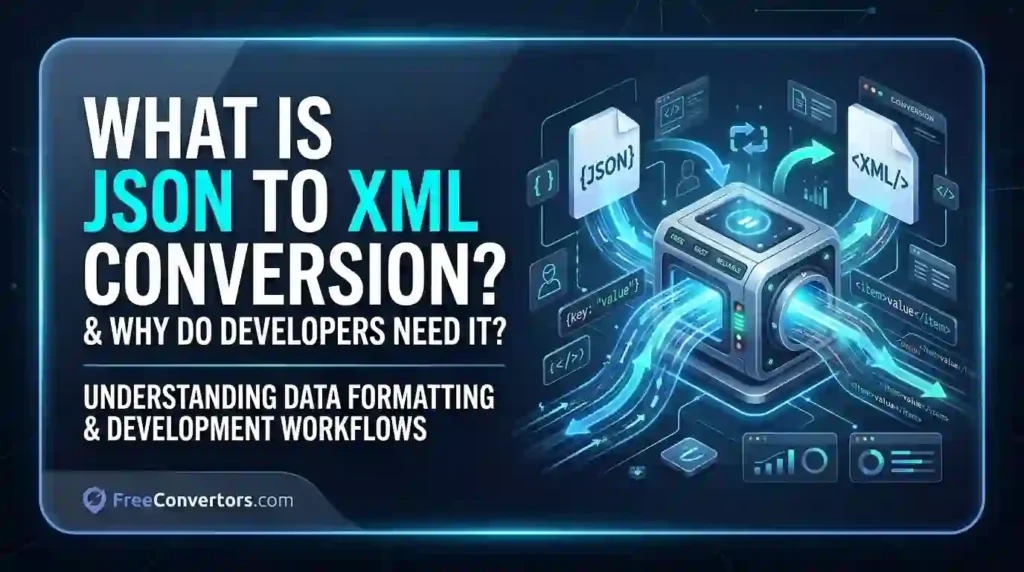
If you have ever worked with APIs, enterprise software, or data pipelines, you have almost certainly run into a situation where your data is in one format but the system you are sending it to expects a completely different one. JSON to XML conversion is the process of transforming data structured in JavaScript Object Notation into Extensible Markup Language format — and for developers around the world, it is one of the most common and important data transformation tasks in modern software development.
Whether you are integrating a REST API with a legacy SOAP service, migrating data between enterprise systems, or working on healthcare and finance applications that require strict XML schemas, understanding JSON to XML conversion is not optional — it is essential.
What Is JSON? (JavaScript Object Notation Explained)
JSON stands for JavaScript Object Notation. It is a lightweight, text-based data interchange format that is easy for both humans to read and machines to parse. JSON was standardised by ECMA International and has become the dominant format for REST API responses, configuration files, and web application data exchange.
JSON organises data as key-value pairs and supports arrays, nested objects, strings, numbers, booleans, and null values. Here is a simple example of JSON structure:
{ “employee”: { “name”: “Ahmed Khan”, “department”: “Engineering”, “skills”: [“Python”, “Java”, “SQL”] } }
JSON is lightweight, compact, and natively supported by every major programming language. That is why it became the go-to format for web APIs, mobile applications, and modern backend systems.
What Is XML? (Extensible Markup Language Explained)
XML stands for Extensible Markup Language. It is a markup-based, hierarchical data format defined by the W3C XML standard. Unlike JSON, XML uses opening and closing tags to define data elements, supports XML namespaces, and can be validated against an XML Schema Definition (XSD) to enforce strict data structure rules.
The same employee data in XML format would look like this: <?xml version=”1.0″ encoding=”UTF-8″?> <employee> <name>Ahmed Khan</name> <department>Engineering</department> <skills> <skill>Python</skill> <skill>Java</skill> <skill>SQL</skill> </skills> </employee>
XML is more verbose than JSON, but it is extraordinarily powerful for enterprise use cases. SOAP web services, SAP integration, Microsoft BizTalk, HL7 healthcare messaging, and SWIFT financial messaging systems all rely on XML as their core data format. According to the W3C, XML remains one of the most widely deployed data formats in enterprise computing globally.
What Is JSON to XML Conversion?
JSON to XML conversion is the process of taking data written in JSON format and transforming it into a structurally equivalent XML document. A JSON to XML converter reads the JSON object structure — its keys, values, arrays, and nested objects — and maps each element to a corresponding XML tag, root element, or XML element attribute.
The conversion process typically follows these mapping rules:
- JSON object keys become XML element tag names
- JSON string values become XML text content
- JSON arrays are converted into repeated XML elements with the same tag name
- The entire JSON structure is wrapped in a root XML element (since XML requires a single root)
- JSON null values may be represented as empty XML elements
For example, a JSON to XML converter tool reads your JSON, builds the XML document structure, adds the XML declaration and UTF-8 encoding header, and outputs a well-formed XML file ready for use in any XML-compatible system.
You can do this instantly and for free using the JSON to XML Converter at Free Convertors — no sign-up, no software installation, and no coding required.
Why Do Developers Need JSON to XML Conversion?
This is the question at the heart of the matter — and the answer has several layers.
1. Bridging REST APIs and SOAP Web Services
The most common real-world reason developers convert JSON to XML is to bridge the gap between modern REST APIs and older SOAP web services.
REST APIs return data in JSON format. SOAP (Simple Object Access Protocol) web services require XML. When a modern application needs to communicate with a legacy SOAP service — which is extremely common in banking, insurance, healthcare, and government systems — the JSON response from the REST API must be converted to XML before it can be sent to the SOAP endpoint.
REST to SOAP conversion is essentially a JSON to XML transformation problem, and it comes up constantly in enterprise integration work.
2. Legacy System Integration
Many enterprise systems built in the 1990s and 2000s were designed around XML as their primary data interchange standard. ERP systems like SAP, CRM platforms, and mainframe-based banking systems all speak XML natively. When modern applications built on JSON-based APIs need to feed data into these legacy systems, JSON to XML conversion becomes the bridge.
3. Healthcare Data Exchange (HL7)
In the healthcare industry, HL7 (Health Level Seven) is the global standard for electronic health record exchange — and it is XML-based. When a modern health application collects patient data in JSON format and needs to transmit it to a hospital system or insurance platform using HL7, a JSON to XML transformation is required. This is not a niche use case — it affects hospitals, clinics, and health tech companies around the world.
4. Financial Messaging (SWIFT)
The global banking system uses SWIFT messaging for international financial transactions — and SWIFT messages are XML-formatted. Banks and fintech companies working with real-time payment APIs receive JSON responses that must be converted to XML for SWIFT compatibility. JSON to XML conversion for SWIFT messages is a critical backend data processing task in financial technology.
5. XML Schema Validation Requirements
Some enterprise systems, regulatory bodies, and government data exchanges require data to conform to a specific XML Schema Definition (XSD). An XSD defines the exact structure, data types, and constraints that an XML document must meet. When building integrations with these systems, developers must not only convert JSON to XML but also validate the output against the required schema. A proper JSON to XML converter handles this transformation as the first step in that workflow.
6. E-Commerce Product Feeds
Many large e-commerce platforms and product comparison engines — including Google Shopping feeds, Amazon Seller Central, and retail data aggregators — accept product data in XML format. If your inventory management system or product database exports JSON, you need JSON to XML conversion to generate compatible product feed files.
7. ETL Data Pipelines
In ETL (Extract, Transform, Load) data engineering workflows, data moves between systems in various formats. JSON is the most common format for extraction from APIs, but many data warehouses, reporting tools, and legacy databases require XML as their import format. JSON to XML conversion is a standard transformation step in many ETL data pipelines.
JSON vs XML — Head-to-Head Comparison
| Feature | JSON | XML |
|---|---|---|
| Full Name | JavaScript Object Notation | Extensible Markup Language |
| Format Type | Key-value pairs | Tag-based markup |
| Readability | More concise, easier to read | More verbose |
| File Size | Smaller | Larger |
| Data Types | String, number, boolean, array, object, null | Text only (types defined by XSD) |
| Schema Support | JSON Schema (draft standard) | XML Schema Definition (XSD) — mature |
| Comments | Not supported | Supported |
| Namespace Support | No | Yes |
| Animation/Attributes | No | Yes — XML element attributes |
| Browser Support | Native JavaScript | XML DOM |
| Best For | REST APIs, web apps, mobile apps | SOAP, enterprise, healthcare, finance |
| Validation | JSON schema validation | XSD, DTD validation |
| Industry Adoption | Web, mobile, cloud | Banking, healthcare, government, ERP |
The main difference between JSON and XML is not that one is better than the other — it is that they serve different purposes in different contexts. JSON is better than XML for speed, readability, and web API performance. XML is better for strict schema validation, namespace support, and enterprise system interoperability.
How Does a JSON to XML Converter Work?
A JSON to XML converter works by parsing the JSON input using a JSON parsing library, traversing the JSON object tree recursively, and generating a corresponding XML document structure for each JSON element it encounters.
Here is the step-by-step process:
- The converter reads the raw JSON string and parses it into an in-memory object
- It identifies the top-level JSON keys and creates a root XML element to wrap the entire document (XML requires exactly one root element)
- It recursively processes each key-value pair — converting keys to XML tag names and values to XML text content
- JSON arrays are handled by creating repeated XML elements with the same parent tag name
- The converter adds the XML declaration at the top: <?xml version=”1.0″ encoding=”UTF-8″?>
- The final output is a well-formed XML document ready for use
JSON to XML in Python
Python developers commonly use the xml.etree.ElementTree library or the json2xml package for this conversion. Here is a conceptual example:
import json from xml.etree.ElementTree import Element, SubElement, tostring
data = json.loads(‘{“name”: “Ahmed”, “role”: “Developer”}’) root = Element(“root”) for key, value in data.items(): child = SubElement(root, key) child.text = str(value) print(tostring(root, encoding=”unicode”))
JSON to XML in Java
Java developers typically use JAXB (Java Architecture for XML Binding) or libraries like Jackson with XML extension to handle JSON to XML conversion in enterprise applications. The Newtonsoft JSON library performs the equivalent function in the .NET / C# ecosystem.
JSON to XML Without Coding
For developers and non-developers who need a quick, reliable JSON to XML conversion without writing a single line of code, the JSON to XML Converter at Free Convertors is the fastest solution. Paste your JSON, click convert, and download your XML — it is that straightforward.
Key Challenges in JSON to XML Conversion
JSON to XML conversion is not always a perfect one-to-one mapping. The key challenges developers face include:
Handling JSON arrays — JSON arrays do not have a direct XML equivalent. A JSON array like [“Python”, “Java”, “SQL”] must be wrapped in parent elements to create valid XML, and different converters handle this differently.
XML root element requirement — JSON objects can exist without a named root, but XML always requires a single root element. Converters must add a root element, and developers need to ensure it matches the expected element name in the target system.
Attribute vs element mapping — JSON has no concept of XML attributes. When converting, everything becomes an XML element by default. If the target XML schema requires specific attributes (e.g., <employee id="123">), additional mapping rules or post-processing may be required.
Special characters and encoding — JSON strings may contain characters that are invalid in XML (such as <, >, &). A good JSON to XML converter automatically escapes these characters and handles UTF-8 encoding correctly.
Industries That Still Use XML Over JSON
Despite JSON’s dominance in web development, several major industries continue to use XML as their primary data interchange format:
- Healthcare — HL7 FHIR (transitioning, but still heavily XML), CDA documents, medical imaging metadata
- Financial services — SWIFT messaging, FIX protocol, ISO 20022 payment standards
- Government and public sector — Many government data exchange standards are XML-based
- Manufacturing and supply chain — EDI (Electronic Data Interchange) systems, often XML-based
- Publishing and content management — DocBook, DITA, and many CMS platforms use XML
- Enterprise software — SAP, Microsoft BizTalk, Oracle Fusion Middleware — all XML-native
For developers working in these sectors, JSON to XML conversion is not an occasional task — it is a daily workflow requirement.
Why Choose Free Convertors for JSON to XML Conversion
When you need a reliable, fast, and completely free JSON to XML converter online, Free Convertors is the tool built for exactly that purpose. Here is what makes it the right choice for developers and teams:
- No registration or account required — open the tool and start converting immediately
- Works entirely in your browser — your data never needs to leave your machine
- Handles nested JSON objects and JSON arrays correctly
- Produces well-formed, properly encoded XML output every time
- Completely free — no trial period, no hidden fees, no watermarks
Beyond JSON to XML conversion, Free Convertors offers a full suite of developer and designer tools — all free, all instant:
- SVG to PNG Converter — for converting vector graphics to raster images
- PNG to SVG Converter — for vectorising raster logos and icons
- Image Converter — supporting multiple format conversions in one place
- Image Compressor — for reducing file sizes without visible quality loss
- PDF to Word Converter and Word to PDF Converter — for document format switching
- WebP to PNG Converter and WebP to JPG Converter — for modern image format handling
- Unit Converter and Currency Converter — for everyday calculation needs
- Date Calculator — for date arithmetic and deadline planning
Explore all the free tools available at Free Convertors and streamline every data conversion task in your workflow.
JSON to XML Conversion: Real-World Example
Let us walk through a real scenario. A healthcare startup in Pakistan builds a patient intake app that collects data in JSON format via a REST API. The hospital system they are integrating with uses an HL7-compliant XML messaging format.
The JSON output from their app looks like this:
{“patient”: {“id”: “PK-00421”, “name”: “Sara Malik”, “age”: 34, “condition”: “Hypertension”}}
After running through the JSON to XML Converter at Free Convertors, the output becomes: <?xml version=”1.0″ encoding=”UTF-8″?> <patient> <id>PK-00421</id> <name>Sara Malik</name> <age>34</age> <condition>Hypertension</condition> </patient>
This XML can then be validated against the hospital’s XSD schema and transmitted to the HL7 endpoint — a complete integration workflow solved in minutes.
Frequently Asked Questions
What is JSON to XML conversion? JSON to XML conversion is the process of transforming data structured in JavaScript Object Notation (JSON) into Extensible Markup Language (XML) format. It maps JSON keys to XML tags, JSON values to XML text content, and wraps the entire structure in a root XML element to produce a valid, well-formed XML document.
Why do developers convert JSON to XML? Developers convert JSON to XML when they need to integrate modern JSON-based REST APIs with legacy SOAP web services, XML-native enterprise systems (like SAP or Microsoft BizTalk), or industry-specific formats in healthcare (HL7), finance (SWIFT), and government data exchange. Many enterprise systems simply do not accept JSON — they require XML.
Is JSON better than XML? Neither format is universally better — they serve different purposes. JSON is better for web APIs, mobile apps, and modern web development because it is more compact and easier to read. XML is better for enterprise systems, SOAP web services, strict schema validation, and regulated industries that require XML Schema Definition (XSD) compliance.
Can I convert JSON to XML without coding? Yes. The JSON to XML Converter at Free Convertors lets you convert JSON to XML instantly in your browser without writing any code. Simply paste your JSON data, click convert, and download the XML output — no registration or software installation required.
Is JSON to XML conversion lossless? For most data types — strings, numbers, nested objects, and arrays — JSON to XML conversion preserves all data accurately. However, some JSON-specific data types like null values and typed numbers may require special handling, and JSON attributes do not have a direct XML equivalent without additional mapping rules.
Which programming languages support JSON to XML conversion? All major programming languages support JSON to XML conversion. Python uses xml.etree.ElementTree or the json2xml package. Java uses JAXB or the Jackson XML extension. C# and .NET use the Newtonsoft JSON library. Node.js developers commonly use the xml2js package. PHP, Ruby, and Go all have native or third-party libraries for this conversion as well.
Conclusion — JSON to XML Is a Developer Skill That Pays Off
JSON to XML conversion is the process of transforming JavaScript Object Notation data into Extensible Markup Language format — and it is one of the most practically important data transformation skills in modern software development. Whether you are a backend developer working on enterprise integrations, a data engineer building ETL pipelines, or a healthcare tech professional connecting modern apps to legacy clinical systems, this conversion task will appear in your work regularly.
Understanding when and why to convert JSON to XML — and knowing how to do it efficiently — makes you a more effective, more versatile developer. And having a fast, free, reliable tool at your fingertips makes the whole process effortless.
Try the free JSON to XML Converter at Free Convertors today, and explore the complete suite of advanced developer and image tools available on the platform. If you want to go deeper into data formats, API integration, and web development tooling, explore all the advanced tools offered by Free Convertors — built for developers, designers, and digital professionals who value speed, simplicity, and reliability.
Pingback: XML vs JSON: Which Data Format Is Better for APIs in 2026?