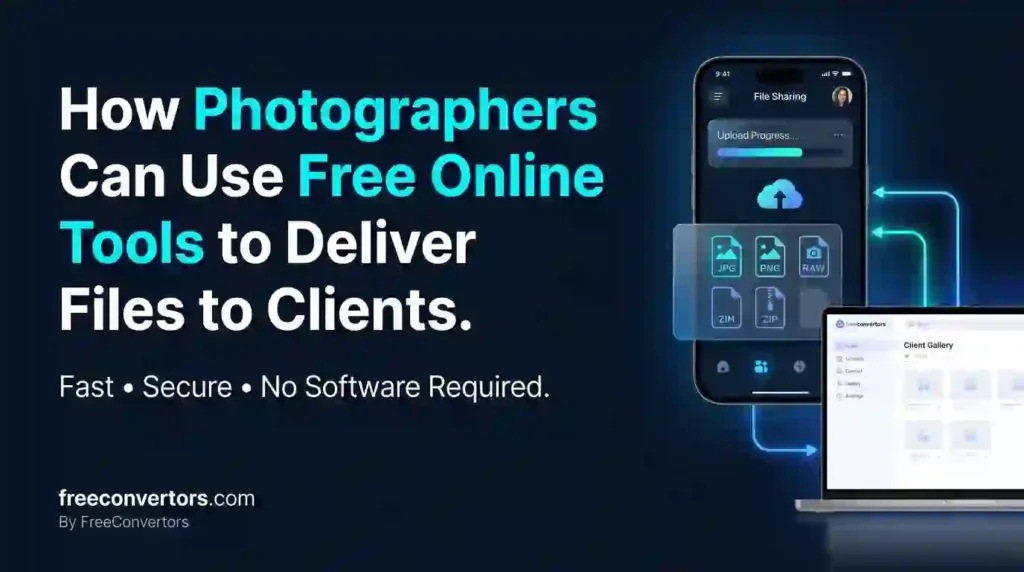
Wedding season wraps up, and suddenly you’re staring at 2,000+ RAW files that need to become a polished gallery in your client’s inbox — without eating your entire profit margin on premium software subscriptions. The good news? You don’t need expensive gallery platforms to deliver professional-looking results.
Free online tools for photographers can handle nearly every step of client delivery — compressing large files without visible quality loss, converting between formats, building shareable galleries, and protecting your work with watermarks — all without a monthly subscription. In this guide, we’ll walk through exactly which free tools handle each part of the delivery process, how to avoid the quality mistakes that make photos look unprofessional, and how to build a delivery workflow that feels premium even on a zero-dollar budget.
Why File Delivery Matters as Much as the Photos Themselves
Here’s something many new photographers underestimate: how you deliver photos to clients shapes their entire perception of your professionalism, sometimes as much as the images themselves. A slow download, a confusing folder structure, or a file that won’t open on their phone can undercut weeks of excellent shooting and editing.
The good news is that solving this doesn’t require expensive photography-specific software. With the right combination of free tools, you can deliver files that are properly sized, correctly formatted, and easy for clients to access — regardless of whether they’re tech-savvy or barely comfortable clicking a download link.
What’s the Best Free Way to Deliver Photos to Clients?
The most reliable free approach combines three steps: compress your images to a web-friendly size without losing visible quality, convert to the right format for the client’s intended use (JPG for viewing, print-ready formats for physical prints), and share via a cloud link or simple gallery rather than email attachments, which often fail for large batches.
Let’s break down each piece of this workflow in detail.
Step 1: Compress Photos Without Losing Visible Quality
This is where most photographers either overcompress (resulting in visible artifacts) or undercompress (resulting in painfully slow downloads for clients). Getting this balance right matters enormously for client experience.
A free online image compressor lets you control compression levels precisely — light, medium, or maximum — so you can find the sweet spot where file size drops significantly without clients noticing any quality difference. In most cases, professional photos are compressed by 40–60% with zero visible impact, especially when starting from high-resolution originals.
Our free Image Compressor handles this directly in your browser, letting you batch-process a full gallery without installing anything. If you want to understand exactly how compression affects image quality (and when it doesn’t), our detailed breakdown of what actually happens to image quality after compression explains the technical side in plain language — useful if a client ever asks why their delivered files are smaller than the originals you shot.
Step 2: Choose the Right File Format for the Client’s Use Case
Different formats serve different purposes, and delivering the wrong one creates friction:
- JPG — The standard for web viewing, social media sharing, and general client use. Universally compatible across devices.
- PNG — Best for images requiring transparency or when preserving fine detail matters more than file size (less common for standard photo delivery).
- RAW — Only deliver this if a client specifically requests it for professional editing purposes; RAW files are massive and impractical for casual viewing.
If you’re shooting in RAW and need to batch-convert for client delivery, our Image Converter handles format conversion in bulk, saving you from manually exporting each file individually through desktop software.
Step 3: Choose Your Delivery Method
Once your images are compressed and correctly formatted, you have several free delivery options, each with different tradeoffs.
Cloud Storage Links (Google Drive, Dropbox)
Upload your compressed gallery to a shared folder and send clients a single link. This works well for straightforward deliveries and entirely avoids email attachment size limits.
Best for: Simple, no-frills delivery where the client experience doesn’t need to be highly polished.
WeTransfer (Free Tier)
Ideal for one-time transfers, WeTransfer’s free plan supports up to 2GB per transfer with a 7-day download window — plenty for most standard client galleries.
Best for: Quick, single-batch deliveries without needing long-term storage.
Open-Source Client Gallery Platforms
Several free, open-source gallery tools let you build a branded, client-facing proofing gallery — similar in feel to paid platforms like Pixieset, but without the subscription cost. These typically require a bit more setup but deliver a noticeably more professional client experience.
Best for: Photographers wanting a polished, branded delivery experience without ongoing software costs.
If your client’s photos are destined for print rather than just screen viewing, understanding how file size affects print quality matters too — our guide on PNG vs JPG vs WebP for the best image format breaks down which format holds up best for different final uses.
Comparison Table: Free Photo Delivery Methods
| Method | Free Limit | Best For | Ease of Use |
|---|---|---|---|
| Google Drive / Dropbox | 15GB (Drive) / 2GB (Dropbox) free storage | Simple, direct link sharing | Very easy |
| WeTransfer | 2GB per transfer, 7-day link | One-time transfers | Very easy |
| Open-source gallery platforms | Free, self-hosted | Branded, professional proofing galleries | Moderate setup |
| Direct online compressor + link | Unlimited (browser-based) | Pre-processing before any delivery method | Very easy |
How Long Should Photo Delivery Links Stay Active?
This depends on your delivery method and client expectations. WeTransfer’s free tier expires after 7 days, which works fine for immediate delivery but risks clients missing the download window if they’re slow to check email. Cloud storage links (Google Drive, Dropbox) can remain active indefinitely, giving clients more flexibility, though you should still communicate a reasonable download deadline to avoid keeping large files in your storage indefinitely.
A good practice: clearly state your delivery link’s expiration date in your delivery email, and consider sending a reminder a few days before expiration for time-sensitive links like WeTransfer.
Should You Watermark Photos Before Delivery?
This depends entirely on the delivery stage. For proofing galleries — where clients select favorites before making a final purchase — watermarking protects your work from unauthorized use while clients haven’t yet paid. For final delivered files that clients have paid for, watermarks are generally inappropriate, since the client is receiving the finished, licensed product.
If you need to watermark proofing images, several free online tools can batch-apply a watermark across an entire gallery in minutes, saving significant manual editing time compared to adding watermarks individually in desktop software.
Protecting Client Photos: Metadata, Copyright, and Security
A few practical considerations matter beyond just file compression:
- EXIF metadata — Photos often contain embedded metadata (camera settings, sometimes GPS location). Consider whether to strip this before delivery, particularly for client privacy in personal shoots like family sessions or maternity photography.
- Copyright information — Many photographers embed copyright details directly into image metadata before delivery, providing a layer of protection even after files leave your control.
- Password-protected sharing — For sensitive or high-value shoots, password-protecting your delivery link adds a meaningful security layer that most free cloud platforms support natively.
Is It Safe to Share Client Photos Through Free Online Tools?
Generally, yes — provided you choose reputable tools with clear privacy policies. Legitimate free compressors and converters typically process files temporarily and delete them shortly after, rather than retaining copies indefinitely. For client work specifically, it’s worth understanding exactly what happens to files during compression and delivery, since photographers handle inherently personal, sometimes sensitive images (weddings, family sessions, newborns).
Our detailed guide on what happens to your files when you use online converters explains the typical file lifecycle — upload, process, delete — and what to check before trusting a tool with client work.
Building a Repeatable Free Delivery Workflow
Here’s a practical, repeatable process that works whether you’re delivering 20 photos or 2,000:
- Cull and select your final gallery in your editing software of choice.
- Export at full resolution as your master files (keep these backed up separately).
- Batch compress the export set using a free online compressor, targeting the sweet spot between file size and quality.
- Convert format if needed (typically to JPG for standard client delivery).
- Upload to your chosen delivery method — cloud link, WeTransfer, or a gallery platform.
- Send a clear delivery email including the link, any expiration date, and simple download instructions for non-technical clients.
- Follow up near the link expiration date if the client hasn’t downloaded yet.
This workflow costs nothing beyond your time, and once set up, takes only a few extra minutes per delivery compared to simply emailing raw file dumps — which, for context, usually fail outright for anything beyond a handful of images.
Free vs Paid Photo Delivery Software: When Does Paid Make Sense?
Free tools genuinely cover most photographers’ needs, particularly for those just starting out or shooting at lower volumes. Paid gallery platforms (like Pixieset or Pic-Time) start making sense when you need integrated online sales, automated proofing workflows, or a highly polished branded client portal at scale — features that become worth paying for once your photography business reaches consistent, higher-volume bookings.
Until then, combining a free compressor, converter, and a reliable cloud sharing method delivers a professional client experience without the recurring cost. Our comparison of free online tools vs paid software breaks down this tradeoff in more general terms if you’re weighing the decision for your broader workflow, not just photo delivery specifically.
Common Mistakes Photographers Make With File Delivery
- Emailing full-resolution files directly — Most email providers cap attachments at 25MB, making this impractical for anything beyond a few images.
- Overcompressing to save space — Aggressive compression settings can introduce visible artifacts, undermining the quality of your actual photography work.
- Delivering RAW files by default — Unless specifically requested, RAW files are unnecessarily large and impractical for most clients to even open.
- No clear expiration communication — Clients missing a WeTransfer download window because they weren’t told about the 7-day limit is a common, entirely avoidable frustration.
- Skipping a backup before compression — Always compress copies, never your original master files, to avoid accidentally losing quality you can’t recover later.
Why Choose Free Convertors for Your Photo Delivery Workflow
Photographers shouldn’t have to choose between professional results and expensive software subscriptions. At Free Convertors, our tools are built to handle exactly this kind of real-world workflow — batch compression, format conversion, and reliable processing — without requiring an account, a subscription, or specialized technical knowledge.
Explore our full collection of free image tools to build a delivery workflow that fits your photography business, whether you’re just starting out or scaling toward higher shoot volumes.
FAQs About Free Online Tools for Photo Delivery
What is the best free way to deliver photos to clients? Combine a free image compressor to reduce file size without visible quality loss, convert to JPG format for standard viewing, and share via a cloud storage link or WeTransfer rather than email attachments, which often fail for large batches.
How do photographers send large photo files for free? Cloud storage platforms like Google Drive offer up to 15GB of free storage for shareable links, while WeTransfer’s free tier supports transfers up to 2GB with a 7-day download window — both work well for typical client gallery sizes.
Can I compress photos without losing quality before sending? Yes. Using a controlled compression level (light to medium) typically reduces file size by 40–60% with no visible quality difference, especially when starting from high-resolution original files.
What free tools do professional photographers use? Many photographers combine free image compressors, format converters, and cloud storage or open-source gallery platforms to handle delivery without paying for dedicated subscription software, particularly earlier in their business.
Is it safe to share client photos through free online tools? Generally, yes, when using reputable tools with clear privacy policies that process and delete files after compression rather than retaining them indefinitely. Checking a tool’s stated data practices before uploading sensitive client work is a good habit.
How long should photo delivery links stay active? This depends on the platform — WeTransfer’s free tier expires after 7 days, while cloud storage links can remain active indefinitely. Clearly communicating any expiration date to clients prevents missed downloads.
Final Thoughts
Delivering professional photo galleries doesn’t require expensive software — it requires the right combination of free tools used thoughtfully. Compress smartly, choose the correct format for each client’s needs, and pick a delivery method that matches your volume and the level of polish your business needs. As your photography business grows, you can always layer in paid gallery platforms for advanced features, but for most photographers, free tools genuinely handle the entire delivery workflow well.
Ready to streamline your next client delivery? Try our free Image Compressor and Image Converter to prepare your next gallery in minutes, and explore our complete collection of free tools built for exactly this kind of real-world creative workflow.
For further reference on digital image standards, the Adobe resource center on image formats and compression offers useful technical background worth reviewing.