You’ve finished writing your document, resume, or contract, and now you’re staring at the “Save As” menu wondering whether to send a PDF or a Word file. It’s a small decision that actually matters more than people think. Send a PDF when you need your formatting to look identical on every device and want to prevent easy editing, and send a Word document when the recipient needs to edit, comment on, or collaborate on the content directly. Get this wrong, and your beautifully formatted resume can arrive looking like a jumbled mess, or worse, a client can’t make the edits they need without emailing you back and forth all week.
This guide breaks down exactly when to use each format, why employers and recipients tend to prefer one over the other, and how to convert between the two without losing your formatting.
What Is the Real Difference Between PDF and Word?
A Word document (.doc or .docx) is a live, editable file created in Microsoft Word or a compatible word processor. It’s designed for writing, revising, and collaborating, think track changes, comments, and real-time co-editing.
A PDF (Portable Document Format), created by Adobe and now an open ISO standard (ISO 32000), is designed to preserve exactly how a document looks, regardless of what device, operating system, or software opens it. It essentially “freezes” your formatting in place.
This single distinction, editable vs. fixed, is the root of almost every decision about which format to send.
PDF vs Word: Comparison Table
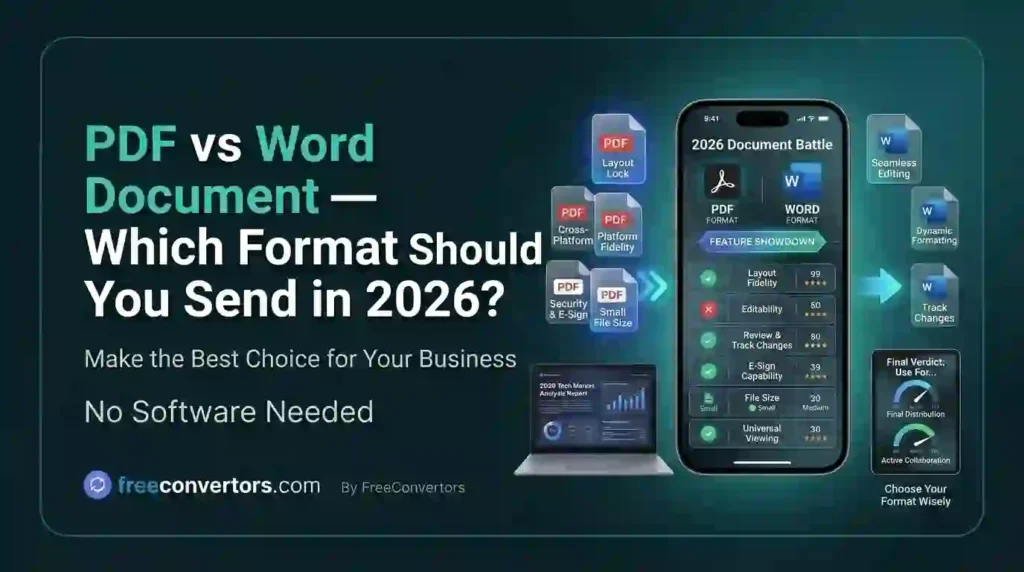
| Factor | Word Document | |
|---|---|---|
| Editability | Difficult to edit directly | Fully editable |
| Formatting consistency | Identical on every device | Can shift between devices/software versions |
| File size | Generally smaller, especially with text-heavy files | Can be larger, especially with images |
| Security | Supports passwords, encryption, permissions | Limited built-in security |
| Best for | Resumes, contracts, official documents, printing | Drafts, collaborative editing, internal review |
| Recipient can comment/edit | Only with specific PDF tools | Native and simple |
| Professional appearance | Looks polished and “final” | Can look unfinished or inconsistent |
Why Does My Word Document Look Different on Another Computer?
This is one of the most common frustrations with sending Word files, and it comes down to a few consistent culprits:
- Missing fonts. If you used a font that isn’t installed on the recipient’s computer, Word automatically substitutes a default font, which shifts spacing, line breaks, and page count.
- Different Word versions. Formatting features can render slightly differently between older and newer versions of Microsoft Word, or when opened in alternative software like Google Docs or LibreOffice.
- Printer driver differences. Word documents sometimes format page breaks based on the default printer installed on a computer, which can shift layout unexpectedly.
A PDF sidesteps all of this entirely, since it embeds the exact visual layout, fonts, and spacing into the file itself. What you see when you create it is exactly what the recipient sees, regardless of their device or software.
Should You Send Your Resume as a PDF or Word Document?
This is probably the single most common version of this question, and the honest answer is: it depends on how the employer wants to receive it.
In favor of PDF:
- Your formatting stays exactly as designed, no shifted bullet points or broken tables
- It looks more polished and “final,” which many recruiters associate with professionalism
- It’s harder for anyone to accidentally alter your resume content
In favor of Word:
- Some applicant tracking systems (ATS) parse Word documents more reliably than PDFs, particularly older ATS platforms or resumes with complex formatting like tables, columns, or text boxes
- Some employers explicitly request Word format because their internal systems are built around it
- Recruiters occasionally want to add internal notes or edits directly onto your resume before passing it along
The safest approach: Always check the job posting or application instructions first. If no format is specified, a PDF is generally the safer default for most modern ATS platforms, but if your resume relies heavily on multi-column layouts, graphics, or unusual formatting, a clean, simple Word document may actually parse more reliably.
Why Do Employers Prefer PDF Resumes?
Beyond formatting consistency, PDFs solve a practical trust problem: once a document is finalized, employers want assurance that what they’re looking at hasn’t been altered, intentionally or accidentally, since it left your hands. A PDF signals “this is the final version,” while a Word document can feel like a work in progress, even when it isn’t.
Is PDF Safer to Send Than Word?
In terms of built-in security features, yes. PDFs support:
- Password protection, restricting who can open the file at all
- Encryption, protecting the content if the file is intercepted
- Permission controls, letting you disable printing, copying, or editing independently of the open password
- Digital signatures, which are widely used for contracts and legal documents specifically because they create a verifiable, tamper-evident record
Word documents can be password-protected too, but the feature is less robust and less universally trusted for legal or financial documents. This is a major reason PDFs remain the standard for contracts, invoices, and official paperwork.
PDF vs Word for Legal Documents and Contracts
For contracts, legal filings, and anything requiring a signature, PDF is almost always the better choice, for a few concrete reasons:
- Tamper-evidence. Once signed, a properly secured PDF makes unauthorized changes much easier to detect than an editable Word file.
- Digital signature support. Most e-signature platforms (like DocuSign or Adobe Sign) are built around PDF workflows.
- Archival stability. PDF/A, a specific archival version of the PDF standard, is designed to ensure a document remains readable and identically formatted decades into the future, something Word files, tied to evolving software versions, can’t reliably guarantee.
When Word Is Actually the Better Choice
PDF isn’t always the right answer. Word documents are clearly better when:
- The recipient needs to edit the content directly. Contracts under negotiation, draft reports awaiting feedback, or collaborative proposals all move faster in an editable format.
- You’re using track changes. Real-time collaborative editing and visible revision history are native to Word and clunky at best in a PDF.
- The document is a working draft, not a final version. Sending a polished PDF for something that’s still being revised can actually slow down the back-and-forth.
- The recipient specifically requests it. Some employers, government forms, or institutions require Word format so their systems can process the content programmatically.
How to Convert Between PDF and Word Without Losing Formatting
Converting between formats used to be a reliable way to mangle your layout, but modern converters have gotten much better at preserving structure. A few practical tips:
- Word to PDF conversions are generally clean and reliable, since you’re going from editable to fixed, there’s little room for error.
- PDF to Word conversions are trickier, especially with scanned documents, complex tables, or multi-column layouts, since the converter has to reconstruct an editable structure from a fixed one.
- Always review the converted file before sending it onward, particularly for anything with tables, headers, or unusual spacing.
If you need to convert a document either direction, our free Word to PDF Converter preserves your formatting, fonts, and layout exactly as designed, and our PDF to Word Converter is built to handle even complex layouts cleanly, so you’re not stuck manually reformatting a mangled document afterward. If you’re working with a scanned document specifically, our guide on converting scanned PDFs to Word walks through what to expect, since scanned files need OCR (optical character recognition) rather than a standard conversion.
Do Applicant Tracking Systems Read PDFs Correctly?
Most modern ATS platforms parse PDFs accurately, but this wasn’t always the case, and some older or less sophisticated systems still struggle with complex layouts regardless of format. The biggest ATS-parsing risks come from:
- Multi-column layouts (text can get read out of order)
- Text embedded in images or graphics (often not read at all)
- Tables and text boxes (content can be skipped or scrambled)
- Unusual fonts (can occasionally cause parsing errors)
The safest resume format for ATS compatibility, regardless of PDF or Word, is a clean, single-column layout with standard fonts and minimal graphic elements. If you’re specifically applying through an online portal, our overview for HR professionals converting CVs and resumes to PDF covers how hiring teams typically prefer to receive and process these files.
PDF vs Word for Printing
If your document is headed for a printer, whether it’s a resume, a flyer, or a report, PDF is the more reliable choice. Since it embeds exact fonts, spacing, and layout, what displays on screen matches what comes out of the printer far more consistently than a Word document, which can shift subtly based on the printer driver installed on whatever computer sends the print job.
Choosing the Right Format: A Quick Decision Guide
- Sending a resume with no specific format requested? PDF, unless your layout is highly graphic-heavy, in which case a simple Word version is a safer backup.
- Sending a contract or legal document? PDF, ideally with a digital signature.
- Collaborating on a draft? Word, so track changes and comments work properly.
- Submitting a printed report or flyer? PDF, to guarantee layout consistency.
- An employer or portal explicitly requests one format? Always follow their instructions over any general rule of thumb.
Frequently Asked Questions
Should I send my resume as a PDF or Word document? PDF is generally the safer default, since it preserves your formatting and looks polished. However, always check the job posting first, as some employers or older ATS platforms still specifically request Word format.
Why do employers prefer PDF over Word for applications? PDFs display identically across devices, look more finished and professional, and are harder to accidentally or intentionally alter after submission.
Can PDFs be edited like Word documents? Not natively. Editing a PDF’s actual content typically requires dedicated PDF editing software, whereas Word documents are editable by default in any compatible word processor.
Is PDF more secure than Word? Yes, generally. PDFs support stronger password protection, encryption, and permission controls (like disabling printing or copying), making them the standard for contracts and legal paperwork.
Does converting Word to PDF change the formatting? Rarely, and usually only if the original document used fonts or elements the converter doesn’t fully support. Word-to-PDF conversion is generally very reliable since you’re moving from editable to fixed format.
Which format should I use for official or legal documents? PDF, almost always. It offers tamper-evidence, supports digital signatures, and PDF/A ensures long-term archival stability, all of which matter for legal and official records.
Final Thoughts
The PDF vs Word decision comes down to one core question: does the recipient need to edit this, or just read it exactly as you intended? If it’s the latter, resumes, contracts, official documents, anything headed for print, PDF is almost always the right call. If collaboration, editing, or revision is the whole point, Word wins every time. When in doubt, and no format is explicitly requested, PDF remains the safer default for anything you consider a finished, professional document.
Need to switch between formats without wrestling with broken layouts? Try our free Word to PDF Converter or PDF to Word Converter, or explore more free tools at Free Convertors to handle your everyday document and file conversion needs.