
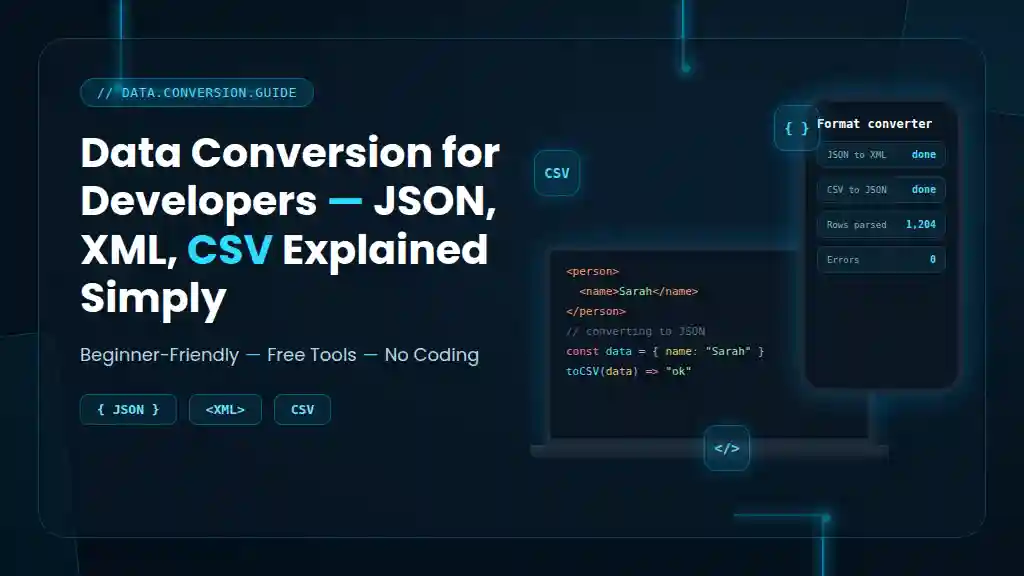
If you’ve ever pulled data from an API, exported a spreadsheet, or built an integration between two systems, you’ve already touched JSON, XML, or CSV — whether you realized it or not. These three formats are the backbone of how data moves between applications, databases, and devices.
For new developers, the differences can feel confusing. Why does one API return JSON while another insists on XML? Why does your client only accept CSV files? This guide breaks down data conversion for developers in plain English — no jargon, no assumptions, just a clear explanation of JSON, XML, and CSV, when to use each, and how to convert between them without losing your data (or your patience).
What Is Data Conversion, and Why Does It Matter?
Data conversion is simply the process of changing data from one format into another so that different systems can understand it. A database might store information one way, an API might expect it another way, and a spreadsheet tool might only accept a third way.
This matters because modern software rarely works in isolation. Your frontend talks to your backend. Your backend talks to a third-party API. That API might return data in a format your app doesn’t natively support — which means you need to convert it.
According to IBM’s data integration documentation, format conversion is one of the most common steps in any data pipeline, especially when connecting legacy systems to modern applications. Without reliable conversion, data interoperability between tools simply breaks down.
What Is JSON? (JavaScript Object Notation)
JSON is a lightweight data exchange format built around key-value pairs. It’s the most popular format for modern APIs, and if you’ve worked with JavaScript, it will look immediately familiar.
Here’s a simple example:
{
  "name": "Sarah",
  "role": "Developer",
  "skills": ["JavaScript", "Python", "SQL"]
}
Why developers love JSON:
- It’s easy to read, even for non-technical team members
- It maps directly to JavaScript objects, so frontend developers can use it instantly
- It supports nested data, meaning you can have lists inside objects inside other objects
- Almost every modern programming language has built-in JSON support
Quick Answer: JSON is best for REST API response formats, configuration files, and any situation where you need a human-readable, easily parsed structure with nested data.
What Is XML? (Extensible Markup Language)
XML is a markup language used to store and transport data using a tag-based structure, similar to HTML but designed specifically for data rather than display.
Here’s the same data in XML:
<person>
  <name>Sarah</name>
  <role>Developer</role>
  <skills>
    <skill>JavaScript</skill>
    <skill>Python</skill>
    <skill>SQL</skill>
  </skills>
</person>
Why XML is still used:
- It supports strict data schema validation through XSD (XML Schema Definition)
- It’s the standard for many enterprise systems, banking APIs, and government data exchanges
- It allows comments and metadata within the document itself
- Older systems (especially in finance and healthcare) were built around XML and haven’t migrated away
Quick Answer: XML is best for enterprise systems, SOAP-based APIs, and any situation that requires strict validation, metadata, or compliance with older industry standards.
What Is CSV? (Comma-Separated Values)
CSV is a flat file format that stores tabular data — rows and columns — separated by commas. It’s the simplest of the three formats, and you’ve almost certainly opened one in Excel or Google Sheets.
Example:
name,role,skill
Sarah,Developer,JavaScript
Sarah,Developer,Python
Why CSV remains popular:
- It’s the easiest format for non-developers to open and edit
- It’s lightweight and loads fast, even with thousands of rows
- Nearly every spreadsheet and database tool supports CSV import/export
- It’s ideal for bulk data transfers, like exporting a customer list or product catalog
Quick Answer: CSV is best for spreadsheet data export, bulk data entry, and any tabular dataset without nested or hierarchical structure.
JSON vs XML vs CSV: Key Differences Explained
| Format | Structure | Best For | Pros | Cons |
|---|---|---|---|---|
| JSON | Key-value, nested | APIs, configs, web apps | Lightweight, readable, native JS support | No built-in schema validation |
| XML | Tag-based, hierarchical | Enterprise systems, SOAP APIs | Strong validation supports metadata | Verbose, harder to read |
| CSV | Tabular (rows/columns) | Spreadsheets, bulk data | Simple, fast, universally supported | No support for nested data |
Quick Answer: JSON is best for modern web APIs, XML is best for enterprise and compliance-heavy systems, and CSV is best for simple tabular data, such as spreadsheets and bulk exports.
Why JSON Is Preferred Over XML in Modern APIs
If you’re building anything new today, JSON is almost always the default choice — and there’s a clear reason why.
JSON files are typically 30–50% smaller than equivalent XML files because they don’t require opening and closing tags for every single value. That means faster network transfers, lower bandwidth usage, and quicker parsing — which matters a lot for mobile apps and high-traffic APIs.
Most REST APIs, including those from Google, Twitter, and virtually every modern SaaS platform, default to JSON as their primary response format. XML still exists in older systems and SOAP-based services, but for new development, JSON has become the unofficial standard.
How to Convert Between JSON, XML, and CSV (Without Coding)
You don’t always need to write a parser from scratch. Here are the most practical ways developers convert data formats:
1. Convert JSON to XML
Most languages have native libraries for this (e.g., xml.etree in Python, fast-xml-parser in JavaScript). For quick one-off conversions without writing code, a free JSON to XML converter handles the structure mapping instantly — useful for testing API payloads before building a permanent conversion script.
2. Convert JSON to CSV
This conversion only works smoothly with flat, non-nested JSON. If your JSON has deeply nested arrays, you’ll need to flatten it first, or accept that some structure will be lost when it’s squeezed into rows and columns.
3. Convert CSV to JSON
This is one of the most common developer tasks — taking a spreadsheet export and turning it into structured JSON for an application or API. Each row typically becomes a JSON object, with column headers as keys.
4. Convert XML to JSON
Useful when working with legacy APIs that still return XML, but your frontend expects JSON. Most backend frameworks include built-in XML parsers that can handle this transformation as part of your data pipeline.
Quick Answer: You can convert JSON, XML, and CSV using built-in language libraries (Python, JavaScript, Java) or free online converters — but always validate the output, especially when converting nested JSON to flat formats like CSV.
Common Data Conversion Mistakes Developers Make
- Losing nested structure when converting to CSV — CSV can’t represent hierarchy, so nested JSON objects often get flattened incorrectly or dropped entirely.
- Ignoring character encoding — CSV files exported without UTF-8 encoding often break special characters (accents, currency symbols, non-English text).
- Skipping schema validation — especially risky with XML, where a single malformed tag can break an entire enterprise integration.
- Although most APIs return JSON, older financial, healthcare, and government APIs still frequently rely on XML or SOAP.
- Not testing edge cases — empty values, special characters, and very large datasets behave differently across formats and can silently corrupt data during conversion.
Real-World Example: Why Format Choice Matters
Imagine a developer building an e-commerce dashboard. The product database exports data in CSV format for the warehouse team (who use Excel). The same data needs to be sent to a frontend app as JSON for the shopping cart. And a legacy supplier API still requires XML for inventory updates.
In this single project, the developer is working with all three formats simultaneously — converting CSV to JSON for the app, and JSON to XML for the supplier integration. This is exactly why data conversion for developers isn’t a niche skill — it’s a daily reality in most real-world systems.
If part of that same workflow involves sharing reports as documents, tools like a PDF compressor or a PDF-to-Word converter often come into play as well, since exported data frequently ends up packaged into reports for non-technical stakeholders.
Data Serialization: The Bigger Picture
JSON, XML, and CSV all fall under a broader concept called data serialization — the process of converting structured data into a format that can be stored or transmitted and later reconstructed.
Other serialization formats exist, too, like YAML (popular in configuration files) and Protocol Buffers (used by Google for high-performance systems). But for everyday web and API development, JSON, XML, and CSV remain the three formats every developer will encounter repeatedly.
Understanding serialization helps explain why these formats matter beyond just “data conversion” — they’re the foundation of how modern software systems communicate at all.
Choosing the Right Format for Your Project
Ask yourself these questions before picking a format:
- Does my data have nested relationships? → Choose JSON
- Do I need strict validation and compliance with industry standards? → Choose XML
- Is my data simple, tabular, and meant for spreadsheets? → Choose CSV
- Am I building a modern REST API? → JSON is almost always the right default
- Am I integrating with a legacy enterprise system? → Be prepared to support XML
There’s no universally “best” format — only the right format for your specific use case.
Free Tools That Help With Data and File Conversion
Beyond JSON, XML, and CSV, developers regularly handle other file conversions in everyday project work. A few tools worth bookmarking include:
- Image converter — for switching between image formats during asset prep
- Image compressor — useful when optimizing data exports that include visual assets
- Unit converter — handy for projects involving measurement-based datasets
- Date calculator — useful for testing date logic across JSON, XML, and CSV timestamps, since each format handles dates differently
You can browse the complete tools library to see everything available for everyday development and data tasks in one place.
Frequently Asked Questions
What is the difference between JSON, XML, and CSV? JSON uses key-value pairs and supports nested data, making it ideal for APIs. XML uses a tag-based structure with strong validation support, common in enterprise systems. CSV is a simple tabular format with rows and columns, best suited to spreadsheets and flat data.
Which is better for APIs: JSON or XML? JSON is generally preferred for modern APIs because it’s lighter, faster to parse, and maps naturally to JavaScript objects. XML remains common in older enterprise and SOAP-based systems that require strict schema validation.
How do I convert JSON to CSV for free? You can use a free online converter for simple, flat JSON structures, or write a short script using a language like Python or JavaScript. Note that deeply nested JSON often loses structure when flattened into CSV.
Can CSV be converted to JSON without coding? Yes. Many free online tools convert CSV to JSON automatically — each row becomes a JSON object, and column headers become the keys. No coding is required for straightforward, non-nested data.
Why do developers use JSON instead of XML? JSON files are smaller, faster to parse, and easier to read than XML. They also integrate natively with JavaScript, which makes them the default choice for most modern web and mobile applications.
Is JSON faster than XML? Yes, generally. JSON’s smaller file size and simpler syntax mean faster parsing and lower bandwidth usage compared to XML, which requires more characters to represent the same data due to its tag-based structure.
Conclusion: Mastering Data Conversion as a Developer
JSON, XML, and CSV each solve a different problem. JSON powers modern APIs and web apps. XML supports enterprise systems that need strict validation. CSV handles simple, tabular data that needs to move in and out of spreadsheets easily.
As a developer, you don’t need to memorize every conversion rule — you need to understand which format fits which job, and know where to turn when you need a fast, reliable conversion without reinventing the wheel.
Bookmark the tools above, keep this comparison table handy, and the next time an API throws XML at you when you expected JSON, you’ll know exactly what to do. Explore our full collection of free conversion tools for everything else your next project might need, or get in touch if there’s a specific converter you wish existed.

Pingback: Free Online Tools That Save Money vs Expensive Software 2026
Pingback: Free Convertors : How to Use It (Beginner's Guide)
Pingback: XML vs JSON: Which Data Format Is Better for APIs in 2026?