If you’ve searched “i Love PDF alternative,” you’re probably running into one of a few common frustrations: a file size limit that stopped your upload halfway through, a daily conversion cap that hit right when you needed one more file done, or just curiosity about whether a lesser-known tool might actually work better for your specific use case. This comparison looks at i Love PDF and Free Converters side by side, honestly, including where each one genuinely has the edge.
One thing worth saying upfront: i Love PDF is a well-established, widely trusted name in this space, and it’s earned that reputation. This isn’t a “your favorite tool is secretly bad” piece — it’s a practical look at how the two differ, so you can choose based on what you actually need rather than on brand recognition alone.
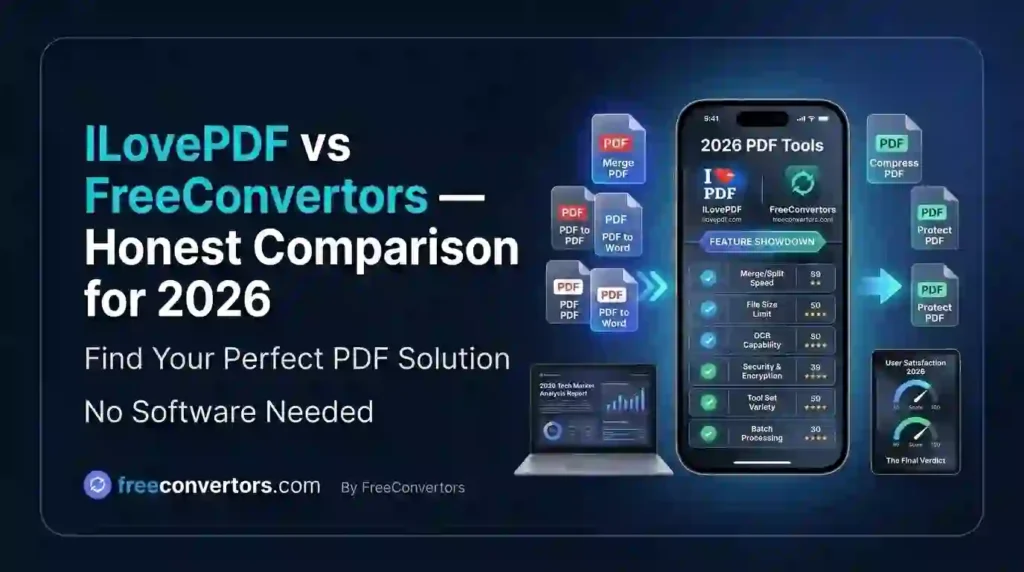
Quick Comparison Overview
| Feature | i Love PDF | Free Convertors |
|---|---|---|
| Core PDF tools | Extensive — merge, split, compress, convert, edit | Core essentials — convert, compress, merge |
| File format range | Primarily PDF-focused, with Office conversions | PDF, image (JPG/PNG/WebP/HEIC/SVG), and utility tools (currency, time zone, JSON/XML) in one place |
| Free tier limits | Daily task limits apply to the free plan | Generous free usage, no account required |
| Ads on free tier | Present on free tier | Minimal, less intrusive |
| Account requirement | Often required for full feature access | No signup needed for core tools |
| Non-PDF utility tools | Limited | Broader — includes currency converter, image compressor, time zone tools |
| Brand recognition | Very high, long-established | Growing, newer entrant |
What is i LovePDF?
i Love PDF is one of the most recognized names in online PDF tools, offering a comprehensive suite covering merging, splitting, compressing, converting, editing, and signing PDFs. It’s been around long enough to build genuine trust, and for people who work with PDFs constantly and don’t mind occasional limits or ads on the free tier, it remains a solid, reliable choice.
What is Free Converters?
Free Convertors takes a slightly different approach: rather than being a PDF-only specialist, it bundles PDF conversion tools alongside a broader set of everyday utilities — image conversion and compression, currency conversion, time zone tools, and data format converters like JSON-to-XML — all accessible without an account. The philosophy leans toward “one tool for your everyday file and data tasks,” rather than a deep, PDF-only feature set.
Feature-by-Feature Comparison
PDF Conversion Accuracy
Both tools handle standard PDF-to-Word and PDF-to-JPG conversions reasonably well for typical text documents. Where things diverge more is with scanned or image-heavy PDFs, where conversion accuracy depends heavily on the underlying OCR and layout-detection engine. If you regularly work with scanned documents, it’s worth testing both directly on your actual files rather than assuming either tool performs identically across document types — our guide on converting scanned PDFs to Word covers what actually affects accuracy here.
File Size Limits
Free online tools generally impose file size caps to manage server load, and this is true across the industry, not just for these two. Free Convertors’ core tools are built to handle typical everyday file sizes without requiring a sign-up, while i Love PDF’s free tier applies daily task limits that can affect heavier users. If you’re regularly hitting size limits, our piece on reducing PDF file size for free offers workarounds that help regardless of which tool you use.
Privacy and Data Handling
This matters more than most people realize when uploading sensitive documents to any browser-based tool. Reputable converters process files temporarily and delete them after a set period, but policies genuinely vary in the details — retention windows, third-party analytics, and whether files touch any persistent storage. Before uploading anything sensitive to any online converter, it’s worth understanding what actually happens to your file; our online converters privacy guide breaks down what to look for in any tool’s privacy policy, not just these two.
Ease of Use and Interface
Both tools use a straightforward drag-and-drop interface, which has become the standard expectation for this category. i Love PDF’s interface benefits from years of refinement and a very polished, recognizable design. Free Converters keeps things intentionally minimal — fewer steps, no forced account creation, which some users genuinely prefer for quick, one-off tasks.
Range of Tools Beyond PDF
This is where Free Converters’ broader positioning shows up most clearly. Beyond PDF tools, it includes an image compressor, image converter supporting formats like HEIC and WebP, a currency converter, and data format tools like JSON to XML conversion. If your workflow involves more than just PDFs — say, compressing images for a website alongside converting the occasional document — having these in one place genuinely saves time compared to bouncing between several specialized single-purpose sites.
Pricing and Free Tier
i Love PDF operates on a freemium model, with a premium subscription unlocking higher usage limits and additional features. Free Convertors’ core tools are positioned as free with fewer artificial restrictions, without pushing users toward a paid tier for basic tasks. For occasional users, this difference may not matter much; for anyone converting files daily, it’s worth comparing actual usage limits against your real workload before assuming either is “free enough” for your needs.
Who Should Use i Love PDF?
- Users who need a very deep, mature feature set specifically for PDF editing and manipulation (e-signatures, advanced editing, PDF forms)
- People are already comfortable with account-based tools and don’t mind occasional free-tier limits
- Teams needing enterprise-level PDF workflow features through a paid plan
Who Should Use Free Converters?
- Users who want to skip account creation entirely for quick, one-off tasks
- Anyone who regularly needs both PDF and non-PDF conversions (images, currency, time zones, data formats) without juggling multiple sites
- Students, freelancers, and remote workers who value a fast, no-signup workflow — our guide on free online tools for students covers this use case specifically
- People are comparing free online tools vs. paid software generally, and leaning toward free-first options
A Note on Online Tool Safety in General
Regardless of which converter you choose, it’s worth applying a few basic safety habits: avoid uploading highly sensitive documents (financial records, legal contracts with personal data) to any free online tool unless you’ve verified its privacy practices, prefer tools with clear file-deletion policies, and use browser-based tools over unfamiliar downloadable software when possible, since downloadable converters carry more risk of bundled unwanted software. Our broader online tools safety guide covers this in more depth if you’re evaluating any converter, not just the two covered here. For general guidance on data handling and privacy expectations, resources like the Electronic Frontier Foundation offer solid, independent context on what to look for in any online service’s privacy practices.
Frequently Asked Questions
Is i LovePDF completely free to use? i LovePDF offers a free tier with daily task limits, as well as a paid premium subscription for higher usage and additional features.
What is the best alternative to i Love PDF? Free Convertors is a strong alternative for users who want PDF tools bundled with broader utilities like image compression, currency conversion, and data format tools, without requiring an account.
Is Free Converters safe and free to use? Free Convertors’ core tools are free to use without signing up. As with any online converter, it’s worth reviewing the site’s privacy practices before uploading sensitive documents.
Which is better for compressing PDFs, i Love PDF or Free Converters? Both offer PDF compression; the better choice often depends on your specific file size and how much compression you need. Testing both directly on your actual file is the most reliable way to compare results for your use case.
Do these tools delete my files after conversion? Reputable online converters generally delete uploaded files after a set retention window, though exact policies vary by provider — always check the specific privacy policy for details.
Which tool offers more file format support beyond PDF? Free Converters covers a broader range of non-PDF formats and utilities, including image conversion, currency, and data format tools, while i Love PDF focuses primarily on PDF and Office document conversions.
Final Thoughts
Neither tool is objectively “better” in every category — i Love PDF’s depth and maturity in PDF-specific features make it a strong choice for heavy PDF workflows, while Free Converters’ broader utility and no-signup approach suit users who want speed and flexibility across file types without commitment. The right choice really comes down to what you’re actually converting and how often.
If you want to try the no-signup approach for yourself, explore our full suite of tools at Free Convertors — from PDF conversion to image compression and beyond — and see whether it fits your workflow better than juggling multiple single-purpose sites.