
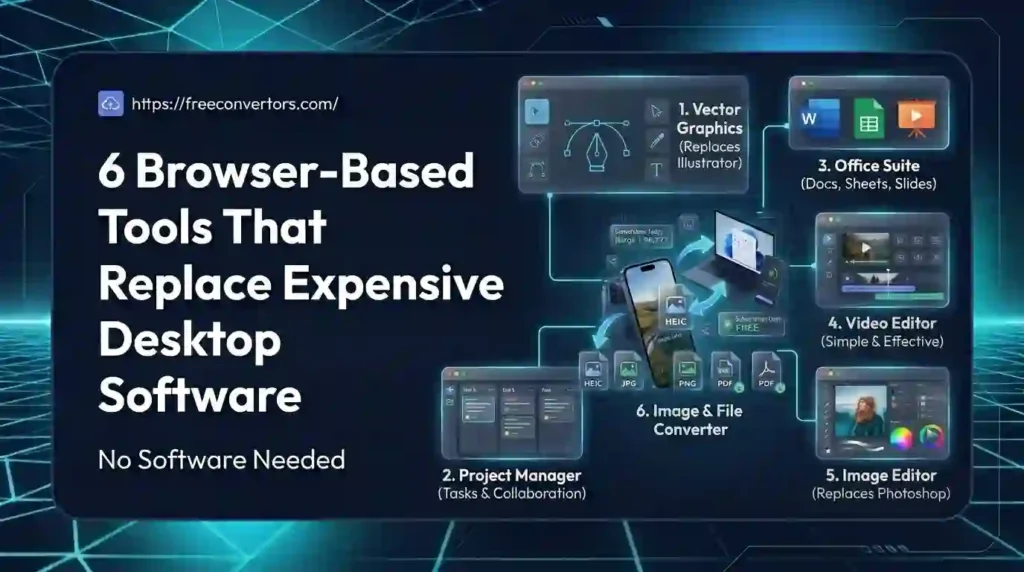
Desktop software used to be unavoidable. If you wanted to edit a PDF, resize an image, or convert a file, you had to install a program, wait for updates, and often pay a yearly license fee just to keep using it. That’s no longer true. Browser-based tools now handle most everyday tasks instantly, without installation, storage clutter, or a subscription bill. In this guide, we’ll walk through six browser-based tools that replace expensive desktop software, compare them directly to their paid counterparts, and show you exactly how much time, space, and money you can save by switching.
What Are Browser-Based Tools?
Browser-based tools are web applications that run entirely inside your browser — Chrome, Firefox, Safari, or Edge — without needing to install anything on your computer. They use cloud computing tools and web-based rendering to process your files on secure servers and deliver the results back to you in seconds.
Unlike traditional desktop software, browser tools don’t take up hard drive space, don’t require system-specific versions, and update automatically in the background. This makes them ideal cross-platform online tools for anyone switching between a laptop, a Chromebook, or even a tablet.
Why Browser Tools Are Replacing Desktop Software
A few years ago, “web-based” meant limited and slow. That’s changed. Modern browser tools now rival desktop programs in speed and output quality, while removing the biggest pain points of installed software:
- No installation required — open a tab and start working
- Works on any device, including low-spec PCs and Chromebooks
- No system requirements to check before downloading
- Auto-updating software with no manual patches
- Cross-platform compatibility across Windows, Mac, and Linux
- Saves storage space since nothing is installed locally
According to Google’s own developer documentation on Progressive Web Apps, modern web applications can now match native software in performance and reliability, which is exactly why browser-based tools have become viable desktop replacements rather than a stripped-down alternative.
Browser Tools vs Desktop Software: Quick Comparison
| Browser Tool | Desktop Equivalent | Storage/Cost Saved |
|---|---|---|
| Online PDF Compressor | Adobe Acrobat Pro | ~$240/year, 0 GB installed |
| Browser Image Converter | Photoshop/Lightroom | ~$240–600/year, 2–4 GB installed |
| Web-Based File Converter | CloudConvert Desktop App | ~$96–180/year |
| Online Currency & Unit Tool | Finance desktop apps | ~$120–300/year |
| Browser Time & Date Tool | Scheduling software | ~$60–150/year |
| Web-Based JSON/XML Tool | Dev IDE plugins | ~$50–100/year |
This table alone answers one of the most common questions people search: can browser tools really replace desktop software? For everyday conversion, compression, and editing tasks, the answer is clearly yes.
1. Browser PDF Tool vs Adobe Acrobat
Adobe Acrobat Pro remains one of the most expensive desktop tools for basic PDF work — often $20+ a month just to compress, convert, or merge files. A browser-based PDF Compressor does the same job for free, directly in your tab.
You can also convert formats both ways using the PDF to Word Converter and PDF to JPG Converter — no software install, no license key. For a step-by-step approach to shrinking large files before sending them, see this guide on how to reduce PDF file size for free, and if you’re emailing documents regularly, this PDF email checklist is worth bookmarking. HR teams handling job applications also benefit — see how HR professionals convert CVs and resumes to PDF entirely in-browser.
2. Browser Image Tool vs Photoshop
Photoshop is powerful, but most people don’t need its full toolkit just to resize, compress, or convert an image. Browser-based image tools now cover 80–90% of everyday image tasks without installing anything.
Try the Image Compressor to shrink file sizes before uploading to a website, or the Image Converter to switch between formats instantly. If you’re deciding which image format to use, this comparison of PNG vs JPG vs WebP explains the difference clearly, and SVG vs PNG for logos and icons helps with branding decisions. For iPhone users struggling with photo formats, this guide on how to view HEIC photos on PC and Android pairs perfectly with the HEIC to JPG Converter.
Website owners will also want to read how compressing images improves speed, storage, and SEO — a browser tool that directly impacts search rankings.
3. Web-Based File Converter vs Desktop Conversion Software
Desktop file-conversion software often locks basic formats behind a paywall. Browser-based converters skip that entirely. The PNG to JPG Converter, JPG to PDF tool, WebP to PNG Converter, and SVG to PNG Converter all run instantly in the browser, with no software-free workflow interruptions.
For content creators managing thumbnails and downloads, the YouTube Thumbnail Downloader and full guide on downloading YouTube thumbnails are worth exploring. This entire category is covered in more depth in our guide to free tools for content creators.
4. Browser Currency & Unit Tool vs Financial Desktop Software
Instead of installing finance-tracking desktop software, small businesses and travelers can use the free Currency Converter and check live rates through current currency values. This guide on currency converter tools for small businesses shows real use cases, and if you’re planning a trip, Best Currencies to Know Before Traveling is a handy companion read.
The Unit Converter also replaces several paid desktop measurement-conversion apps used in engineering, cooking, and construction.
5. Browser Time & Date Tool vs Scheduling Software
Remote teams often buy scheduling software just to manage time zones. A free Time Converter and Date Calculator handles this without any installed program. If your team is spread across countries, read how to convert time zones online for free, and this detailed breakdown of time zone differences between Pakistan, the UAE, the UK, and the USA — both fully browser-based, remote-friendly tools.
6. Web-Based Developer Tool vs Desktop IDE Plugins
Developers often install plugins or paid desktop software just to convert data formats. The JSON to XML Converter replaces that instantly in the browser. Learn more in the complete data conversion (JSON, XML, CSV) guide and this focused explainer on JSON to XML conversion. For a broader list of browser-based development tools, see developer tools worth bookmarking in 2026.
Why Choose Free Convertors for Browser-Based Tools
Free Convertors brings all six categories together in one place — PDF tools, image tools, file converters, currency and unit tools, time tools, and developer tools — all working directly in your browser with zero installation. Explore Advanced Tools at Free Convertors through the complete tools directory, or start with our broader roundup of free online tools for 2026.
Every tool is built to work on any device, including older or low-spec computers, which makes Free Convertors a genuinely software-free workflow for everyday file tasks.
Are Browser-Based Tools Safe and Reliable?
This is one of the most common concerns people have before switching away from desktop software. Reputable browser tools process files over secure, encrypted connections and don’t require any software installation, which actually reduces malware risk compared to downloading desktop programs from third-party sites.
That said, always check a tool’s privacy practices before uploading sensitive files like contracts, ID documents, or financial records. For most everyday tasks — converting, compressing, and editing — browser tools are just as safe as, and often safer than, desktop alternatives.
Do Browser Tools Work as Well as Desktop Software?
For the vast majority of everyday use cases, yes. Browser tools handle file conversion, compression, and basic editing at the same quality level as desktop programs. Where desktop software still wins is in advanced, specialized work — heavy video editing, complex 3D rendering, or enterprise-level automation. But for the day-to-day tasks most people and small businesses actually need, browser-based tools are more than capable.
Real-World Examples
- A freelance photographer switched from Lightroom to a browser-based image compressor for client delivery previews, cutting software costs entirely.
- A small accounting firm replaced a paid PDF editor with free browser-based PDF tools for client document handling.
- A remote development team dropped a paid IDE plugin in favor of a free web-based JSON-to-XML converter for quick data checks.
- A student on a low-spec laptop used browser-based tools for every assignment instead of installing storage-heavy desktop software.
FAQs
What are browser-based tools? Browser-based tools are web applications that run in your browser without installation, using cloud servers to perform tasks such as file conversion, compression, and editing.
Can browser tools really replace desktop software? Yes, for most everyday tasks like PDF editing, image conversion, and file compression, browser tools match desktop software in speed and quality.
Are browser-based tools safe to use? Reputable browser tools use encrypted connections and don’t require downloads, making them as safe as — or safer than — installing desktop software.
Do browser tools require installation? No. Browser-based tools run entirely in your web browser tab with zero installation and no system requirements.
Can browser tools handle large files as desktop software does? Most browser tools handle common file sizes well, though extremely large files or specialized professional work may still need desktop software.
Which browser tools work best on low-end computers? Any browser-based tool works well on low-spec PCs and Chromebooks since processing happens in the cloud, not on your device.
Conclusion
Browser-based tools have closed the gap with expensive desktop software faster than most people expected. From PDF editing to image conversion to developer utilities, the six categories covered here show that you no longer need to install costly programs just to get everyday work done. Before you buy another desktop license, try the browser-based alternative first.
Ready to simplify your workflow? Explore the full range of tools at Free Convertors and start working without installs, storage limits, or subscription fees.
Pingback: Free Convertors : How to Use It (Beginner's Guide)
Pingback: Online Tools Safety: Are They Safe to Use in 2026?
Pingback: Scanned PDF to Word: Free Converter & Full Guide
Pingback: XML vs JSON: Which Data Format Is Better for APIs in 2026?